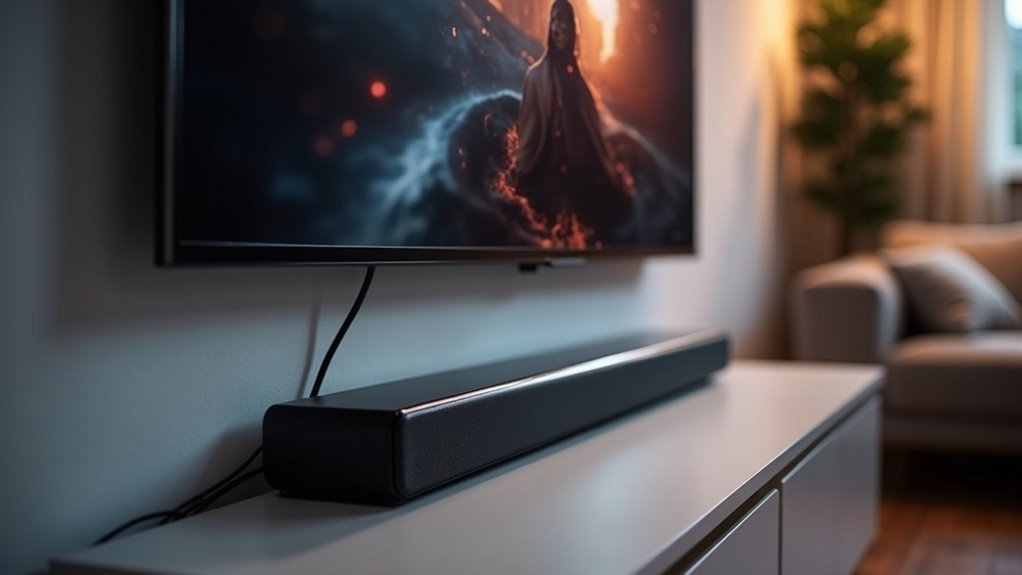
Yes, a soundbar can work with most TVs, greatly enhancing your audio experience. However, compatibility depends on the available connection methods, such as HDMI ARC or optical cables. While older TVs may not support the latest technologies, mixing different brands is generally feasible, though advanced features may not operate optimally. To achieve the best performance, it’s crucial to configure the soundbar correctly in your TV’s audio settings. As you delve deeper, you’ll find more information on optimizing sound settings and features tailored specifically for soundbars.
Key Takeaways
- Soundbars can work with most TVs, but compatibility hinges on the connection methods available on both devices.
- Common connection methods include HDMI ARC, optical cables, Bluetooth, and auxiliary ports.
- Older TV models may lack support for newer technologies, which can impact soundbar functionality.
- Pairing soundbars and TVs from the same brand enhances features such as synchronized audio and control.
- Regardless of TV model, soundbars significantly enhance audio quality compared to built-in speakers.
Understanding Soundbar Compatibility With TVS
When considering whether a soundbar will work with your TV, understanding the various connection methods available is crucial.
Soundbars typically offer multiple connection options, such as HDMI ARC, which delivers the best audio quality, and optical cables for compatibility with older TVs. Bluetooth provides a convenient way to connect wirelessly, while auxiliary ports are also available for additional flexibility.
However, compatibility is largely determined by your TV’s capabilities; some older models may lack support for the latest technologies. Mixing brands is generally feasible, though advanced features may not perform optimally.
Ultimately, soundbars significantly enhance your TV’s audio, creating a richer home theater experience regardless of your TV model.
Connection Methods for Soundbars and TVs
Although you have several options for connecting a soundbar to your TV, understanding these methods can greatly enhance your audio experience.
Here are four primary connection options:
- HDMI: Use HDMI ARC for maximum sound quality and a single cable solution, making it a popular choice for soundbars.
- Optical Cables: Ideal for TVs without HDMI ports, offering durable, high-quality audio transmission that’s favored by many soundbar users.
- Bluetooth: A wireless option that allows for flexible placement of your soundbar, requiring both devices to support Bluetooth for compatibility.
- Auxiliary Connections: A straightforward option for basic audio needs, suitable for simple setups.
Choosing the right method ensures immersive sound and seamless integration with your soundbar, so check your devices’ compatibility before setting up.
Benefits of Matching Brands
Matching brands for your soundbar can significantly elevate your audio experience in several ways.
When you pair a soundbar from a specific brand with its corresponding TV, you unlock exclusive features such as synchronized audio signals and virtual surround sound settings. These brands often employ proprietary technologies, like WOW Orchestra and Q-Symphony, to enhance audio clarity and performance.
Pairing a brand-matched soundbar and TV unlocks exclusive features like synchronized audio and enhanced clarity.
Furthermore, using compatible devices simplifies management, allowing you to control everything with a single remote. You’ll also enjoy advanced audio formats like Dolby Atmos, ensuring high-quality sound.
Plus, maintaining aesthetic consistency in your entertainment setup creates a visually appealing and functionally superior environment.
Optimizing Sound Settings for Best Performance
To achieve the best audio performance from your soundbar, it’s essential to configure your TV’s audio output settings correctly. Follow these steps to enhance sound:
- Set the soundbar as the primary speaker in your TV’s audio settings to ensure it takes precedence over the built-in TV speakers.
- Activate audio enhancement features on the soundbar for improved clarity and immersive sound experiences.
- Enable CEC (Consumer Electronics Control) on your TV, allowing for seamless control of connected devices through your soundbar.
- If using HDMI, make sure to enable HDMI ARC (Audio Return Channel) on both your TV and soundbar for optimal audio quality.
Additionally, regularly check for firmware updates on your soundbar to ensure compatibility and access the latest features that can further enhance your sound performance.
Enhancing Your Audio Experience With Soundbars
Upgrading to a soundbar can transform your audio experience, providing a significant leap in sound quality compared to your TV’s built-in speakers.
Soundbars are designed to work seamlessly with most TVs through various connections like HDMI ARC or Bluetooth, making it simple to enhance your audio setup.
Soundbars effortlessly connect to most TVs via HDMI ARC or Bluetooth, simplifying your audio upgrade.
By delivering rich sound and incorporating multiple speaker types, soundbars create a fuller soundstage that elevates your home entertainment.
Many models feature advanced technologies, such as Dolby Atmos, which offer realistic audio dynamics for an immersive experience.
When selecting the ideal soundbar, it’s essential to consider compatibility with your TV and the specific audio features you desire to ensure a captivating viewing experience.







