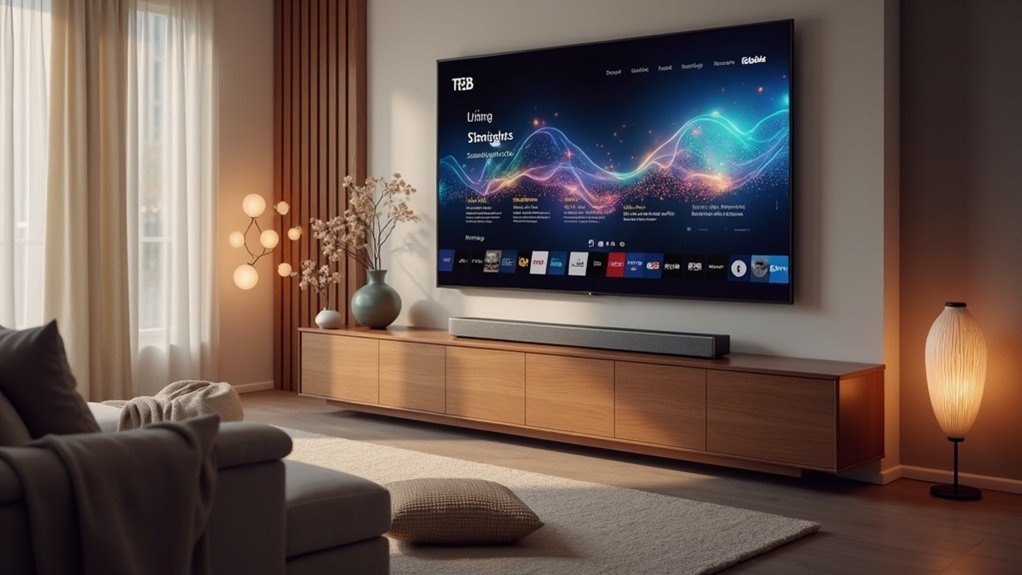
If you want to enhance your soundbar experience with Dolby Atmos on your smart TV, you’re in luck! Major streaming services like Netflix, Apple TV+, Amazon Prime Video, Disney+, and HBO Max support Atmos audio in their apps. These platforms offer a variety of titles designed to deliver immersive sound that brings movies and shows to life. To ensure optimal performance, make sure your soundbar is HDMI eARC compatible. Interested in tips to optimize your soundbar setup for the ultimate audio experience?
Key Takeaways
- Major streaming services like Netflix, Apple TV+, Amazon Prime Video, Disney+, and HBO Max support Dolby Atmos for immersive audio experiences, making them ideal for use with soundbars.
- Ensure your soundbar is connected to a smart TV that supports HDMI eARC or ARC for optimal high-quality audio output from these streaming services.
- Use the built-in apps on your smart TV to access Dolby Atmos content, which can enhance the performance of your soundbar.
- Check the audio output settings on both your smart TV and soundbar to enable Dolby Atmos for the best streaming experience.
- Streaming services automatically stream Dolby Atmos titles when available, allowing you to fully enjoy the rich audio capabilities of your soundbar.
Overview of Dolby Atmos and Its Benefits
Dolby Atmos revolutionizes your audio experience with soundbars by creating a three-dimensional sound landscape that immerses you in the action.
This immersive audio format allows sound to move in all directions, adding height channels that make it feel like audio comes from above, enhancing realism in movies, music, and games.
Experience sound like never before, with audio moving all around you and height channels that bring realism to your entertainment.
With a growing selection of content available through streaming services, Dolby Atmos transforms your soundbar into a cinematic audio powerhouse.
To fully enjoy this multidimensional soundscape, ensure your soundbar supports HDMI eARC connections, optimizing low latency and delivering enhanced audio quality for an unparalleled listening experience.
Major Streaming Services Supporting Dolby Atmos
As you delve into the world of soundbars, you’ll discover that several major streaming services now enhance your audio experience with Dolby Atmos support, making it an ideal pairing for your soundbar setup.
Netflix provides Dolby Atmos content, but you’ll need a Premium subscription to enjoy titles like “Mowgli” with immersive audio.
Apple TV+ features over 250 movies and shows in Dolby Atmos, allowing you to fully experience the enhanced sound on compatible soundbars.
Amazon Prime Video includes popular series like “Jack Ryan” in Dolby Atmos, ensuring that your soundbar delivers a rich audio experience.
Disney+ automatically plays its marquee titles, including the “Star Wars” series, in top-notch audio quality, which is perfect for soundbar enthusiasts.
HBO Max also supports Dolby Atmos, offering an exceptional audio journey across their diverse content that pairs perfectly with your soundbar.
Device Compatibility for Dolby Atmos Streaming
When it comes to enjoying Dolby Atmos content, your choice of soundbar plays a significant role in the overall experience. Many soundbars available today are designed to support Dolby Atmos streaming from popular apps like Netflix and Disney+.
To achieve peak sound quality, ensure your soundbar has HDMI eARC capabilities, which allow it to receive high-bandwidth audio from compatible devices. Streaming services like Apple TV+, Amazon Prime Video, and HBO Max deliver Dolby Atmos content directly to these apps.
Remember to select the appropriate audio output settings on your device and confirm that your soundbar can decode the Dolby Atmos format for an immersive audio experience.
Configuring Your Smart TV for Dolby Atmos Output
To fully enjoy the immersive experience of Dolby Atmos audio through your soundbar, it’s essential to configure your Smart TV correctly.
First, ensure your TV supports HDMI eARC or ARC, as this connection is crucial for high-quality audio output to your soundbar. Access your audio settings to enable Dolby Atmos or HDMI audio output, allowing your TV to transmit Atmos signals effectively.
Ensure your TV has HDMI eARC or ARC for optimal Dolby Atmos audio quality to your soundbar.
Utilize built-in apps for the best audio quality and support for Dolby Atmos content. Always select compatible movies from streaming services designed for Atmos to maximize your listening experience.
Lastly, confirm that your soundbar is properly connected and set to receive Dolby Atmos signals, ensuring peak performance and an unforgettable audio experience.
Streaming Service Comparison for Dolby Atmos Content
When selecting a soundbar for Dolby Atmos content, it’s essential to consider both the supported platforms and the device compatibility requirements.
Each soundbar—like those from brands such as Sonos, Bose, and LG—offers unique features and varying connectivity options to enhance your audio experience.
Understanding these factors will help you make the most of your immersive sound environment.
Supported Streaming Platforms
As you explore the world of soundbars, you’ll discover that several major streaming platforms enhance your audio experience with Dolby Atmos content.
Here are three supported platforms you should consider for an immersive soundbar experience:
- Netflix: With a Premium subscription, you can enjoy Dolby Atmos titles like “Mowgli” and “Bird Box” through your soundbar.
- Apple TV+: Offering over 250 titles in Dolby Atmos, it stands out for delivering exceptional audio quality through compatible soundbars.
- Amazon Prime Video: Expanding its library, it includes shows like “Jack Ryan,” but you’ll need a Dolby Atmos-enabled soundbar for optimal playback.
Invest in a quality soundbar and dive into these platforms to elevate your audio experience!
Device Compatibility Requirements
While you may be eager to experience Dolby Atmos content through your soundbar, understanding the device compatibility requirements is crucial for a smooth audio experience.
Various streaming services, such as Netflix and Disney+, support Dolby Atmos, but compatibility can differ. Ensure your soundbar is connected to a smart TV with HDMI eARC/ARC connections to facilitate low latency audio transmission.
Streaming devices like Apple TV 4K or Xbox Series X/S are excellent for delivering Atmos content, but they must be paired with an Atmos-enabled soundbar. Additionally, remember to check your audio output settings, as not all smart TVs automatically transmit Dolby Atmos signals.
Some platforms, such as Vudu, even offer Dolby Atmos rentals without a subscription, provided your hardware meets the necessary requirements.
Troubleshooting Dolby Atmos Issues on Smart TVs
When you’re troubleshooting Dolby Atmos issues with your soundbar, start by checking your device compatibility and ensuring that your audio settings are properly configured for optimal output.
It’s essential to use an HDMI eARC/ARC connection, as this plays a key role in transmitting high-quality audio signals to your soundbar.
Finally, verify that the content you’re trying to enjoy supports Dolby Atmos, since not all streaming services offer this feature.
Checking Device Compatibility
To fully enjoy the immersive experience of Dolby Atmos through your soundbar, it’s essential to ensure that your setup is compatible.
Here are three key steps to check:
- HDMI eARC/ARC: Ensure your soundbar is connected to a smart TV that supports HDMI eARC/ARC for optimal Dolby Atmos audio transmission.
- Soundbar Compatibility: Confirm that your soundbar is Dolby Atmos-enabled and connected using the appropriate HDMI cable.
- Audio Output Settings: Access your smart TV’s audio output settings to ensure that Dolby Atmos is selected for your soundbar.
Additionally, check that your streaming service subscription includes Dolby Atmos content to maximize your audio experience!
HDMI Connection Issues
If you’ve set up your Dolby Atmos soundbar but aren’t hearing the immersive audio you expected, HDMI connection issues might be the culprit.
Ensure your soundbar is connected to your Smart TV via an HDMI eARC or ARC port for optimal high-speed data transfer.
Check the audio settings on your Smart TV to confirm that Dolby Atmos output is enabled, as defaults can sometimes disable it.
Additionally, verify that your streaming service supports Dolby Atmos and that you’re streaming content labeled accordingly.
If issues persist, consider trying a different HDMI cable and restarting both devices to resolve common playback problems.
Audio Settings Configuration
Although configuring audio settings on your soundbar might seem straightforward, it’s often where many encounter issues with Dolby Atmos playback.
To guarantee seamless audio, follow these steps:
- Verify HDMI eARC: Check that your soundbar supports HDMI eARC for ideal high-quality audio transmission.
- Adjust Audio Settings: Enable Dolby Atmos output on your soundbar and set the audio format to “Bitstream” or “Pass-through” for optimal signal decoding.
- Confirm Streaming Service: Verify that the service you’re using provides Dolby Atmos content and that you have the necessary subscription tier.
Don’t forget to check for firmware updates for your soundbar to support the latest audio formats!
Future of Dolby Atmos in Home Entertainment
As streaming services like Netflix, Disney+, and Apple TV+ continue to embrace Dolby Atmos, the future of this immersive audio technology in home entertainment, particularly with soundbars, looks promising.
With an expanding array of content libraries, you’ll find more titles featuring Dolby Atmos across platforms, enhancing the sound quality of your movies and shows.
As newer soundbars become compatible with Dolby Atmos, accessing high-quality audio experiences is easier than ever.
Manufacturers are actively broadening support for Atmos in their soundbar models, ensuring more users can enjoy immersive sound setups.
Technology advancements will likely drive further adoption of Dolby Atmos in soundbars, leading to enhanced and realistic audio in movies, music, and gaming, transforming your home entertainment experience like never before.







