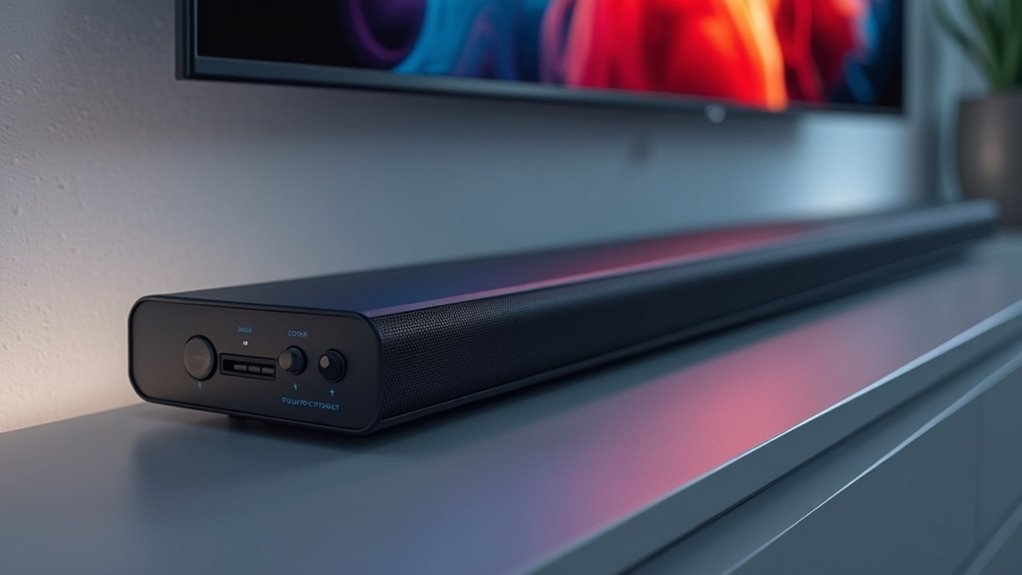
Passthrough on a soundbar enables you to seamlessly route both audio and video signals through the soundbar, enhancing your home theater experience. With HDMI passthrough, you can connect multiple devices directly to your soundbar, minimizing cable clutter while ensuring high-quality audio and video transmission. This feature supports advanced formats like Dolby Atmos and maintains 4K video signals for optimal performance. To make the most of your soundbar setup and discover its many benefits, delve deeper into the options available on our website dedicated to soundbars.
Key Takeaways
- Passthrough on a soundbar enables audio and video signals to flow through the soundbar, making connections in home theater setups more straightforward.
- It generally features at least one HDMI input and output, which simplifies device management.
- Many soundbars offer 4K passthrough, ensuring high-definition video quality is maintained while enhancing audio performance.
- This functionality allows for the transmission of advanced audio formats, resulting in improved overall sound quality and reduced latency issues.
- Utilizing passthrough helps minimize cable clutter, simplifying the connection of multiple devices through a single hub.
Understanding Soundbar Passthrough
When you’re setting up your home theater system, understanding soundbar passthrough is essential because it simplifies your connections. HDMI passthrough allows audio and video signals to route through the soundbar to your TV, reducing cable clutter.
Typically, the soundbar features at least one HDMI input and output, enabling this functionality. Many soundbars support 4K passthrough, ensuring high-definition video transmission without quality loss.
Additionally, passthrough capabilities can enhance audio quality by allowing soundbars to decode advanced formats like Dolby Atmos. To maximize performance, confirm that both your soundbar and connected devices support the necessary HDMI standards, such as HDMI 2.0 or 2.1.
Advantages of Using Passthrough
Using passthrough on your soundbar simplifies cable management by minimizing the number of cables required in your audio setup.
Additionally, you’ll enjoy improved audio quality, as this feature accommodates advanced sound formats without the need for extra wiring.
Furthermore, passthrough ensures smooth video playback, preserving high-resolution signals for a truly immersive viewing experience.
Simplified Cable Management
Managing multiple cables can be a hassle, but HDMI passthrough simplifies your soundbar setup by allowing a single connection for both audio and video. By connecting devices like gaming consoles directly to the soundbar, you can reduce clutter and streamline installation. This method eliminates the need for separate audio cables, enhancing your overall viewing experience.
| Advantages | Description |
|---|---|
| Reduced Clutter | Fewer cables mean less mess behind your sound system. |
| Simplified Setup | Easily connect multiple devices through one hub. |
| High-Quality Support | Maintains 4K video and high-definition audio for optimal soundbar performance. |
| Enhanced Integration | Enjoy a seamless connection without extra wiring. |
Enhanced Audio Quality
HDMI passthrough significantly elevates soundbar performance by facilitating the transmission of high-definition audio formats, such as Dolby Atmos and DTS:X, directly from source devices to the soundbar without compromising sound quality.
This direct connection ensures a premium listening experience, allowing you to fully immerse yourself in the intricate details of the audio. Moreover, HDMI passthrough reduces cable clutter while preserving high-fidelity sound.
With the ability to support simultaneous 4K video along with high-definition audio, your viewing experience becomes truly immersive. Additionally, it effectively minimizes latency and sync issues, ensuring that your audio is perfectly synchronized with the visuals for a seamless and engaging experience.
Seamless Video Playback
When you connect a soundbar equipped with passthrough capabilities, you can effortlessly transmit 4K video signals from your devices to your TV, ensuring no degradation in quality. This feature not only reduces cable clutter but also simplifies your overall home entertainment setup. With HDMI passthrough, you can enjoy high-definition formats like Dolby Vision and HDR, which enhance your audio-visual experience. Additionally, passthrough minimizes latency, ensuring your audio and video remain perfectly synchronized for an optimal viewing experience.
| Feature | Advantage | Impact on Experience |
|---|---|---|
| HDMI Passthrough | Direct video transmission | No quality loss |
| Multiple Device Support | Reduced cable clutter | Simplified setup |
| Low Latency | Synchronized playback | Enhanced enjoyment |
| High-Definition Support | Immersive audio-visual experience | Superior quality |
How to Connect Your Soundbar
To effectively connect your soundbar, start by ensuring it has the necessary HDMI input and output ports.
Use a high-speed HDMI cable to connect your streaming device, like a Blu-ray player or gaming console, to the soundbar’s HDMI input.
Connect your streaming device to the soundbar’s HDMI input using a high-speed HDMI cable for optimal audio quality.
Then, connect the soundbar’s HDMI output to your TV’s HDMI input. If your TV supports ARC or eARC, utilize the designated port for advanced audio features, such as Dolby Atmos.
For TVs without ARC/eARC, you can still use HDMI passthrough by connecting the video source to the soundbar first, allowing it to manage audio output effectively.
This setup will enhance your audio experience and ensure optimal performance from your soundbar.
Options for HDMI Passthrough
While exploring options for HDMI passthrough on soundbars, you’ll find that many models offer versatile connectivity features designed to streamline your home theater setup. Most soundbars come with at least one HDMI input and output, allowing seamless connections for multiple devices. When selecting a soundbar, consider whether it supports HDMI ARC or eARC, as these features enhance audio quality and simplify device control. Remember to use high-speed HDMI cables to maintain signal integrity, especially for 4K video and advanced audio formats.
| Feature | Description | Importance |
|---|---|---|
| HDMI Passthrough | Enables audio/video signal passage | Simplifies connections |
| Supports HDMI ARC | Allows audio return from TV | Enhances audio quality |
| Supports HDMI eARC | Improved bandwidth for advanced audio | Ideal for Dolby Atmos |
Tips for Optimizing Your Setup
Enhancing your soundbar setup can greatly improve your audio and video experience. To maximize quality, verify that your soundbar has HDMI inputs and outputs that support HDMI pass-through, which helps prevent signal degradation.
Use high-speed HDMI cables to facilitate 4K passthrough, ensuring seamless transmission of high-quality video and audio. Confirm that both your TV and soundbar support ARC or eARC for enhanced sound quality and simplified connectivity.
For optimal performance, connect streaming devices directly to the soundbar and link it to the TV for easy device switching.
Lastly, regularly check for firmware updates to maintain peak performance and compatibility with the latest audio formats and passthrough capabilities in your soundbar system.
Exploring Dolby Content
How can a soundbar enhance your home entertainment experience with Dolby content? By integrating Dolby Atmos and Dolby Vision, you can significantly elevate both audio and visual quality.
To fully enjoy this immersive experience, ensure your soundbar supports Dolby technologies and is connected via HDMI cable to maximize bandwidth. Streaming platforms like Netflix and Amazon Prime Video feature content enhanced with these technologies, but you may need specific subscriptions to access them.
Look for titles labeled with Dolby Atmos for a three-dimensional sound experience and Dolby Vision for superior visuals. Confirming your soundbar’s compatibility and ensuring proper setup are essential steps to unlocking the full potential of Dolby content, ultimately enriching your viewing experience.







