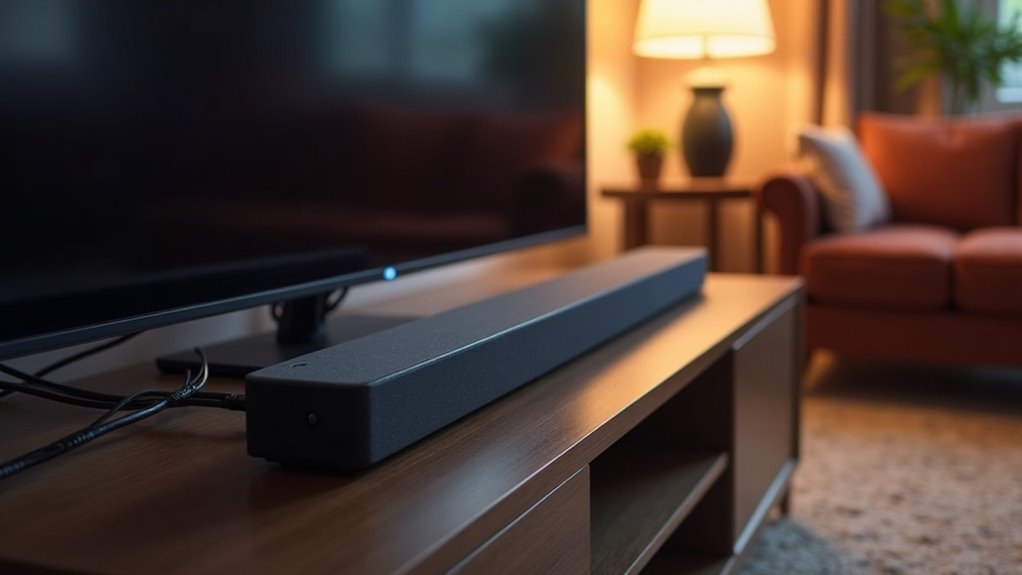
To connect a soundbar to a receiver, start by checking for available pre-outs on your receiver. Utilize a dual RCA cable to link the receiver’s pre-out to the soundbar’s RCA input. For an enhanced audio experience, consider using HDMI ARC or optical cables for superior sound quality. Additionally, ensure that you set the soundbar as the audio output on your TV. This setup may require some fine-tuning and troubleshooting for optimal performance, and there are further details available to help you maximize your audio experience.
Key Takeaways
- Connect the soundbar to the receiver using a dual RCA cable or optical cable for optimal audio quality.
- Ensure the receiver has preamp outputs that are compatible with the soundbar to prevent audio quality issues.
- Utilize HDMI ARC for superior audio and video connections when available.
- Adjust the audio settings on the receiver to enhance sound output and avoid mismatched sound stages.
- Regularly check and secure all cable connections, and keep the firmware updated for both the soundbar and the receiver.
Understanding Sound Bars and Receivers
When setting up your audio system, it’s important to focus on sound bars and their benefits. A sound bar enhances your TV audio by simulating a wider soundstage, making it ideal for movies and music.
Enhance your TV audio with a sound bar for a wider soundstage, perfect for movies and music.
It typically features multiple drivers in one enclosure with built-in amplifiers, providing a more immersive listening experience without the need for multiple speakers. Sound bars are designed to be user-friendly and can easily connect to your TV or other devices, making them a convenient option for enhancing audio quality.
While some users may consider adding a receiver for a more complex setup, a sound bar alone can deliver a superior audio experience without the complications of additional equipment.
Choose a sound bar for a simpler, yet effective solution to boost your home entertainment system.
How Do Sound Bars Work?
Sound bars work by utilizing stereo channels to create distinct left and right audio separation, greatly enhancing your listening experience compared to standard TV speakers.
They consist of multiple drivers within a compact enclosure, ensuring quality sound without taking up much space. Built-in amplifiers power these speakers, while passive models require an external amplifier or receiver for operation.
Advanced Dolby Atmos sound bars employ processing algorithms to further optimize sound performance, delivering an immersive audio experience.
Designed for straightforward setup, sound bars serve as standalone solutions, eliminating the need for complex multi-component systems.
Enjoy rich sound with minimal fuss on your sound bar setup.
How Do Receivers Work?
Soundbars serve as an all-in-one audio solution for your home entertainment system, delivering high-quality sound without the complexity of multiple components.
Soundbars provide a simple yet powerful audio upgrade for your home, combining quality sound in a sleek, single unit.
They’re designed to enhance your TV’s audio, providing clear dialogue and rich sound effects for an immersive viewing experience. Many modern soundbars come equipped with advanced audio decoding formats such as Dolby Digital and DTS, ensuring that you enjoy cinema-quality sound right in your living room.
Soundbars often feature built-in amplification, allowing for a balanced sound that can fill the room, and some models even support wireless connections to streaming services for added convenience.
Setting up a soundbar is typically straightforward, involving a simple connection to your TV, often through HDMI ARC or optical cables, and adjusting settings to optimize sound quality based on your space and preferences.
Can You Connect a Sound Bar to a Receiver?
You can connect a sound bar to a receiver using a dual RCA cable from the receiver’s pre-out to the sound bar’s RCA/auxiliary port.
However, be aware that this setup may introduce performance limitations, such as audio delays and mismatched sound stages.
For the best results with your sound bar, ensure your receiver has preamplification outputs and opt for wired connections whenever possible.
Connection Feasibility Explained
While connecting a sound bar to a receiver is technically feasible through preamplification outputs, it’s important to understand that sound bars are primarily designed as standalone audio solutions.
The lack of multi-channel analogue audio inputs in sound bars can lead to potential audio output issues. To connect, you’d use RCA cables from the receiver’s pre-out to the sound bar’s RCA or auxiliary port, but this setup isn’t recommended for ideal sound quality.
Additionally, Bluetooth connections aren’t feasible with sound bars, making wired connections the only reliable option.
Combining a sound bar with a receiver could also result in poor audio quality due to channel limitations, as sound bars are optimized for simplicity and ease of use on their own.
Performance Limitations Identified
Connecting a soundbar to a receiver presents several performance limitations that can hinder audio quality. Soundbars are designed as standalone solutions, lacking multi-channel analogue audio inputs, which complicates integration. You’ll need a dual RCA cable to connect via the preamplification outputs (pre-outs) of the AV receiver. However, this setup can result in mismatched sound stages and delays, as soundbars aim to mimic surround sound rather than replace it. Below is a summary of these limitations:
| Limitation | Description | Impact |
|---|---|---|
| Lack of Inputs | Limited multi-channel analog inputs | Audio quality issues |
| Mismatched Sound Stages | Soundbar vs. receiver audio dynamics | Disjointed experience |
| Potential Delays | Synchronization challenges | Lag in sound delivery |
| Configuration Complexity | Requires careful setup | Difficult integration |
Understanding these limitations can help you make informed decisions when considering a soundbar for your audio setup.
How to Connect a Sound Bar to a Receiver
To connect your sound bar to a receiver, you’ll need the right cables, typically a dual RCA or HDMI/ARC for optimal audio performance.
Ensure that your setup is compatible with the sound bar’s input options and the receiver’s pre-out capabilities.
This alignment will help you achieve a seamless audio experience without compromising on quality.
Required Connection Cables
Before you connect a sound bar to a receiver, it’s crucial to gather the right cables for a successful setup.
You’ll need a dual RCA cable to link the receiver’s pre-out to the sound bar’s RCA or auxiliary port. Ensure that your receiver has preamplification outputs for this connection.
For the best audio experience, consider using an optical cable or HDMI cable if your sound bar supports these options, as they can significantly enhance sound quality.
Always check the specifications of your sound bar to confirm compatibility with the receiver’s outputs, ensuring a proper connection setup for optimal performance.
Optimal Setup Techniques
Setting up your sound bar with a receiver can greatly enhance your audio experience, and following the right techniques is crucial.
To connect a sound bar, first verify that your sound bar has the necessary input options. Use a dual RCA cable from the receiver’s pre-out to the sound bar’s RCA/auxiliary port.
For peak sound quality, prefer an HDMI/ARC connection; otherwise, an optical connection works for casual listening. Always check compatibility between devices and avoid using splitters or adapters.
Confirm all devices are powered on and configured properly for the best performance in your home theater setup.
Enjoy the improved audio!
Connection Options for Optimal Sound
Connecting a soundbar to a receiver effectively requires understanding your available options for achieving excellent audio quality.
For optimal performance, an HDMI/ARC connection is recommended, as it delivers high-quality sound and allows you to control the soundbar using your TV remote.
If your setup doesn’t support HDMI, consider using a dual RCA cable from the receiver’s pre-out to the soundbar’s RCA input for seamless integration. An optical connection is also a reliable alternative for casual listening, providing clear audio while preventing HDMI conflicts.
Ensure that your receiver is equipped with preamp outputs, as standard soundbars typically can’t handle multi-channel analog inputs, which may limit your options.
Always check the back of your TV for available connections.
Troubleshooting Common Connection Issues
When you encounter issues with your soundbar connection, it’s essential to methodically troubleshoot to identify the root cause.
Follow these steps for an improved audio experience:
- Check for available pre-outs on your receiver to ensure a proper connection to the soundbar.
- Use a dual RCA cable to connect the receiver’s pre-out to the soundbar’s RCA port.
- Confirm that the optical cable is securely connected at both ends to prevent any signal loss.
- Regularly verify that the soundbar is set as the audio output on both the TV and receiver to ensure the left and right channels are functioning correctly.







