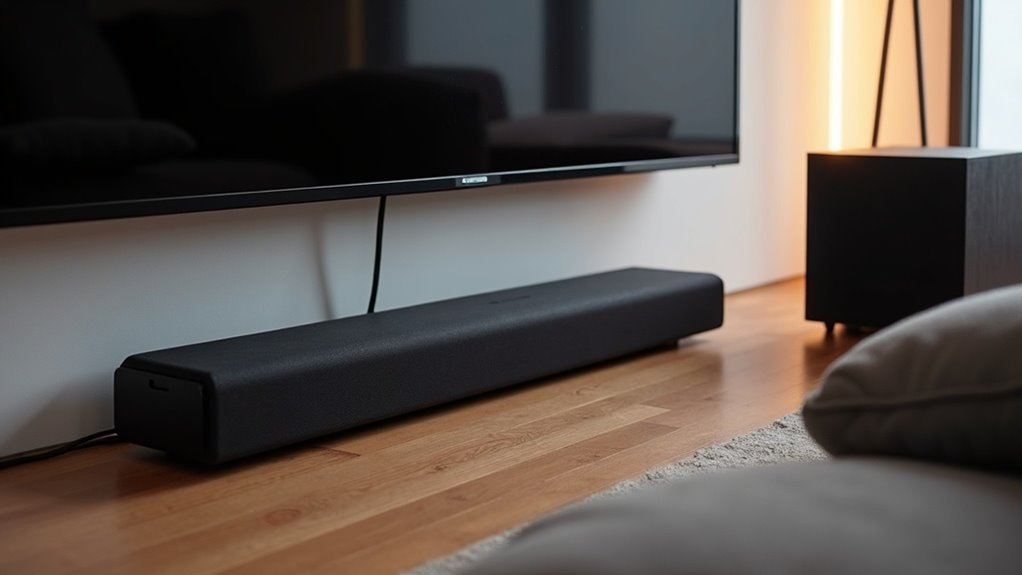
To set up your soundbar and subwoofer, connect the subwoofer to the soundbar’s Subwoofer Out jack using a monaural audio cable. Ensure the subwoofer is powered on, and adjust the gain and crossover frequency for optimal bass performance. Position the soundbar at ear level to enhance clarity and test volume levels for a balanced audio experience. If you encounter issues like low sound or distortion, double-check the connections and speaker placements. There are additional tips available to further enhance your soundbar audio experience.
Key Takeaways
- Connect the subwoofer to the soundbar using the Subwoofer Out jack with a monaural audio cable for optimal performance.
- Ensure the subwoofer is powered and adjust its gain and crossover frequency knobs for balanced low-frequency output.
- Place the soundbar at ear level and experiment with subwoofer placement to improve bass response in your room.
- Match the volume levels between the soundbar and subwoofer, testing with bass-heavy content to avoid overpowering bass.
- Troubleshoot any issues by checking connections, adjusting audio settings, and ensuring compatibility between the soundbar and subwoofer.
Understanding Your Soundbar and Subwoofer
When exploring your soundbar setup, it’s vital to grasp the distinct role it plays in your audio experience. A soundbar typically enhances your audio output by managing mid and high frequencies, delivering a more immersive sound for movies, music, and games.
If your soundbar includes a built-in subwoofer or has a port for an external one, be sure to check for a dedicated Subwoofer Out jack for optimal performance.
Proper placement of your soundbar is also important; ideally, position it at ear level for the best sound clarity, enriching your overall audio experience.
Connection Methods for Soundbar and Subwoofer
Connecting your soundbar to a subwoofer can significantly enhance your audio experience, and there are several methods to achieve this.
First, check for a Subwoofer Out jack on your soundbar and use a monaural audio cable to connect the two devices. If your soundbar lacks a Subwoofer Out, consider using an HDMI audio extractor for simultaneous connections.
Check for a Subwoofer Out jack on your soundbar to connect easily, or use an HDMI audio extractor if needed.
Make sure your subwoofer is powered on and connected to a power source. Adjust the gain and crossover frequency knobs to optimize bass response and improve overall audio quality.
Lastly, experiment with the placement of your subwoofer, as it can greatly influence low-frequency performance and your overall sound experience.
Adjusting Volume Levels for Optimal Sound
To achieve ideal sound with your soundbar, you’ll need to match the volume levels of the soundbar and any additional speakers, such as a subwoofer, carefully.
If your soundbar setup allows for automated volume control, take advantage of it to guarantee a seamless audio experience.
Regularly test and adjust the settings until you find the balance that works best for your space.
Volume Matching Techniques
How can you ensure your soundbar delivers a harmonious audio experience alongside a subwoofer? Start by employing effective volume matching techniques.
Adjust the subwoofer level using the gain knob until the bass feels balanced with the soundbar volume. Since many TVs lack variable outputs, set the subwoofer to a fixed level that complements the soundbar at a comfortable listening volume.
Regularly test various volume levels with music or bass-heavy content to maintain harmony, avoiding overpowering bass. If you’re using an HDMI audio extractor, make sure its settings align with your soundbar.
Automated Volume Control Options
To achieve a balanced audio experience with soundbars, automated volume control options are essential. Utilizing an HDMI ARC connection allows your soundbar and subwoofer to adjust their volume simultaneously through your TV’s remote, streamlining your setup.
Many contemporary soundbars feature intelligent capabilities that automatically balance sound levels according to the content being played. If your soundbar includes a subwoofer output, linking volume adjustments minimizes the need for manual matching.
Furthermore, advanced models provide app-based controls for easy management of both devices. With acoustic optimization, certain soundbars can fine-tune the subwoofer’s output, ensuring a harmonious audio experience customized to your environment.
Exploring Alternative Connection Options
While traditional connections like optical cables and RCA outputs are common for linking soundbars and subwoofers, exploring alternative options can enhance your audio setup.
One innovative approach is to use an HDMI audio extractor, which allows you to connect your TV’s ARC HDMI output. This setup enables you to send audio signals to both your soundbar and subwoofer simultaneously, creating a more immersive audio experience.
HDMI audio extractors typically feature multiple outputs, such as RCA or optical, ensuring you maintain high audio quality without compromising on performance. Additionally, this method allows for synchronized volume control, enhancing your overall listening experience.
When choosing an audio extractor, be sure to verify that it supports key audio formats like Dolby Digital or DTS, as this can significantly simplify your setup while minimizing signal degradation.
Subwoofer Features to Consider
When setting up your soundbar, consider key features like gain control adjustments and crossover frequency settings to optimize performance.
Verify your soundbar has the right output compatibility options, especially RCA outputs, for seamless integration with your subwoofer.
These elements are essential for achieving the best audio experience.
Gain Control Adjustments
To achieve the best sound quality from your soundbar, you’ll want to pay close attention to gain control adjustments. This feature allows you to independently adjust the volume of bass frequencies, ensuring balanced audio output.
Start by setting the gain control at a moderate level, then gradually increase it while listening to various audio content. This experimentation will help you find the perfect balance between the soundbar and any additional audio components, eliminating muddiness and enhancing clarity.
Crossover Frequency Settings
Crossover frequency settings are vital for optimizing your soundbar’s audio performance. This setting dictates when low frequencies are directed to the subwoofer, typically falling within the range of 80 Hz to 120 Hz for optimal sound quality.
Adjusting the crossover frequency allows for a seamless blend between your soundbar and subwoofer, enhancing overall audio clarity and preventing frequency overlap. Depending on your room size and the type of content you’re enjoying, you may need to fine-tune this setting for the best results.
Many modern soundbars come with automatic crossover adjustments, so be sure to check your specifications to ensure compatibility with external subwoofers for an effortless audio experience.
Output Compatibility Options
Choosing the right soundbar can considerably enhance your audio experience, so consider several key features. Pay attention to output compatibility options to guarantee seamless integration with your subwoofer. Look for models with L+R outputs for front speaker connections and dedicated Subwoofer Out jacks on your soundbar. Many soundbars include gain and crossover frequency knobs for ideal bass adjustment when paired with a subwoofer. Additionally, check for RCA inputs for straightforward connections and consider wireless soundbars for a tidy setup.
| Feature | Importance |
|---|---|
| L+R Outputs | Allows connection to front speakers |
| Gain/Crossover Knobs | Adjust bass output when using a subwoofer |
| RCA Inputs | Guarantees easy connectivity |
| Wireless Capability | Reduces cable clutter when paired with a subwoofer |
Placement Tips for Enhanced Audio Experience
When setting up your soundbar, consider that its placement can dramatically influence your audio experience. Here are some tips to enhance sound quality and improve your listening position:
- Position the soundbar at ear level for the best clarity and immersion in dialogue and music.
- Mount the soundbar on the wall or place it on a shelf to avoid obstructions that can muffle audio.
- Ensure there’s a clear line of sight between the soundbar and your seating area for optimal performance.
- Experiment with the distance from the wall to enhance the soundstage and minimize reflections.
- Avoid placing the soundbar in enclosed spaces to reduce potential dead spots and ensure a balanced listening experience throughout the room.
Troubleshooting Common Setup Issues
While setting up your soundbar and subwoofer, you may encounter various issues that can affect audio performance.
First, ensure your subwoofer is connected properly to the Subwoofer Out jack on the soundbar. If you experience low or no sound, check that the subwoofer is powered on and its volume is appropriately set to match the soundbar.
For audio sync issues, adjust the audio delay settings in your TV or soundbar. Excessive noise or distortion might indicate poor placement; try repositioning the subwoofer to enhance sound quality.
If you find volume control inadequate, consider upgrading to a smart soundbar or utilizing an HDMI audio extractor for smoother adjustments.







