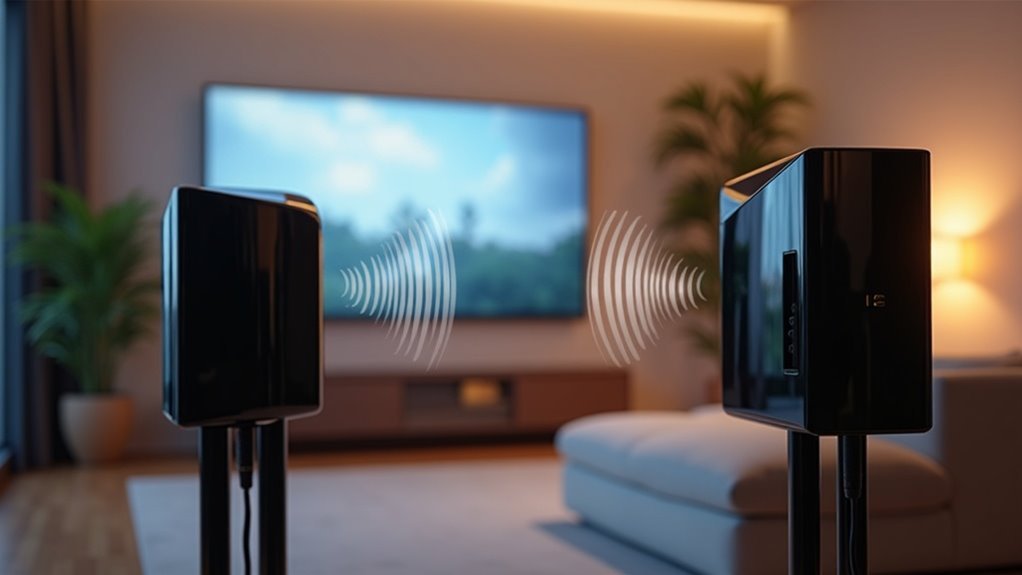
To set up your soundbar rear speakers, first, ensure they are compatible with your specific soundbar model. Next, connect the rear speakers to the wireless receiver and plug it into a power outlet. Activate the pairing mode on both the rear speakers and the soundbar receiver, then proceed with the ID SET process to sync them. Finally, adjust the volume and calibrate the settings for optimal performance. There’s more to fine-tuning your soundbar setup effectively; keep exploring for additional tips tailored to enhance your audio experience.
Key Takeaways
- Before purchasing and setting up, verify the compatibility of your soundbar model with the rear speaker kit.
- Place the rear speakers behind the seating area, ensuring they are at an equal distance and properly angled towards the listener for optimal sound.
- To connect the rear speakers, activate pairing mode on both the speakers and the soundbar’s wireless receiver.
- If available, run the audio calibration setup to enhance performance and balance sound levels for a better listening experience.
- If you encounter any connection issues, make sure all devices are powered on and within range, and adjust the settings as necessary.
Rear Speaker Kit Compatibility
When setting up rear speakers with your soundbar, it’s essential to check the compatibility between your rear speaker kit and soundbar model.
For peak performance, especially in a 5.1 surround sound system or better, ensure your wireless rear speakers align with your soundbar specifications. The SWA-9500S rear speaker kit provides a fully wireless solution, except for power cords, while other kits may require wired connections to a receiver module.
Always consult your soundbar’s user manual or specifications for confirmation of compatibility. Additionally, some soundbars might necessitate a wireless dongle for connection, and you can perform manual connections if you encounter any issues.
Wireless Connection Process
To establish a wireless connection for your rear speakers with the soundbar, start by activating pairing mode on both the speakers and the soundbar’s wireless receiver.
Once they’re paired, adjust the volume settings to ensure a balanced sound experience that complements your soundbar.
Additionally, keep the speakers within range of the soundbar to maintain a stable connection for optimal audio performance.
Pairing Mode Activation
Activating pairing mode for your wireless rear speakers is essential for creating a seamless connection with your soundbar. Begin by ensuring that the speakers are powered on and within range. Press the PAIRING button on the wireless receiver; a blinking yellow-green LED will indicate that pairing mode is active. Next, turn on your soundbar, which should automatically connect to the speakers. Once successfully paired, the yellow-green LED will remain illuminated. If the connection is unsuccessful, simply repeat the process by pressing the PAIRING button again, making sure the soundbar is powered on.
| Step | Action | Indicator | |
|---|---|---|---|
| 1. | Power On Speakers | Turn on wireless rear speakers | LED off |
| 2. | Activate Pairing | Press PAIRING button | Blinking yellow-green |
| 3. | Power On Soundbar | Turn on soundbar | LED lit (success) |
Volume Adjustment Settings
Adjusting the volume of your rear speakers is essential for achieving the best audio experience when using your soundbar.
Utilize your soundbar remote to access the volume adjustment settings, allowing for individual control of the rear speakers. Ensure that the rear speakers are paired correctly, indicated by a solid blue LINK LED.
If you experience low audio or no sound, check the volume settings on both the soundbar and the individual speakers. During the ID SET process, a blinking LINK LED indicates that you need to establish a connection.
For ongoing issues, refer to your user manual for troubleshooting steps related to volume adjustments.
Assembling the Rear Speaker Kit
To assemble the Rear Speaker Kit for your soundbar, start by connecting the color-coded speaker wires to the wireless receiver, ensuring each wire aligns with its labeled speaker.
Next, clamp the stripped wire ends securely without including any insulation, and then plug the receiver into a power outlet.
If the LINK LED blinks, proceed with the ID SET process to connect your soundbar and rear speakers effectively for an enhanced audio experience.
Connecting Speaker Wires
Once you’ve gathered your Rear Speaker Kit, connecting the speaker wires is essential for creating an optimal soundbar audio experience.
Follow these steps:
- Connect the speaker wires to the wireless receiver using color-coded plugs, ensuring that each wire corresponds correctly to its labeled speaker.
- Clamp only the stripped wire portions of the speaker cables, avoiding insulation to ensure a secure connection.
- After making the connections, plug the wireless receiver into a power outlet. If the LINK LED blinks, perform the ID SET process to pair your soundbar with the rear speakers.
Be sure to verify compatibility between the rear speaker kit and your specific soundbar model as detailed in the user manual.
Powering Wireless Receiver
Powering the wireless receiver for your Rear Speaker Kit is a straightforward process that ensures your soundbar delivers immersive audio.
First, connect the power cord of the wireless receiver to a wall outlet, making sure all speaker wires are securely attached using the color-coded plugs.
Take care to clamp down only on the stripped wire portions, avoiding the insulation for a secure connection.
If the LINK LED blinks, initiate the ID SET process by turning off the soundbar, holding the VOL or Up button for 5-6 seconds, and then turning it back on.
A solid blue LINK LED indicates a successful connection and power.
Enjoy the enhanced audio experience that your soundbar provides!
Ensuring Proper Assembly
As you prepare to assemble your Rear Speaker Kit for optimal soundbar performance, connecting the speaker wires to the wireless receiver is essential.
Follow these steps to ensure proper assembly:
- Use color-coded plugs to connect the speaker wires to their corresponding labeled speakers.
- Clamp only the stripped wire portions to avoid clamping any insulation, ensuring a secure connection.
- After connecting, plug the wireless receiver into a power outlet to activate it.
If the LINK LED blinks, initiate the ID SET process.
For detailed diagrams and specific instructions, refer to the user manual tailored to your Rear Speaker Kit model.
ID SET and Volume Adjustment
To set up your rear speakers effectively with your soundbar, start the ID SET process by turning off the soundbar and holding the VOL or Up button for 5-6 seconds until setup begins.
Once you complete the ID SET steps, power the soundbar back on; a solid blue LINK LED will indicate a successful connection with the rear speakers.
For volume adjustment, simply use the soundbar remote control to personalize the sound levels during playback.
If the LINK LED doesn’t glow solid blue, check connections and verify that the rear speakers are within range of the soundbar for optimal performance.
Troubleshooting Connection Issues
After successfully completing the ID SET process, you might encounter connection issues with your rear speakers when using your soundbar.
If you’re having trouble connecting them wirelessly, make sure to follow these steps:
- Ensure the rear speakers are within range of the soundbar and that no obstructions are blocking the wireless signal.
- Press the PAIRING button on the wireless receiver; the yellow-green LED should blink quickly during the pairing process.
- Confirm that the wireless receiver is powered on and that the soundbar is also turned on for automatic pairing.
If the LINK LED blinks instead of glowing solid blue, please repeat the connection steps.
For persistent issues, consult the user manual for further assistance.
Additional Resources and Support
Numerous resources are available to assist you with setting up and troubleshooting your soundbar and rear speakers.
Manuals for soundbar rear speaker kits can be found at manuals.plus, providing detailed instructions and visual aids. If you need direct support, the Samsung Members App offers online chat with Samsung Support for troubleshooting.
Explore detailed manuals for soundbar rear speaker kits at manuals.plus, or get instant help via the Samsung Members App.
You can find solutions to common pairing issues in the FAQs section, where community members share their experiences. For persistent problems, LG customer service is also ready to help.
Utilizing these resources will ensure you achieve an immersive audio experience with your soundbar and rear speakers.







