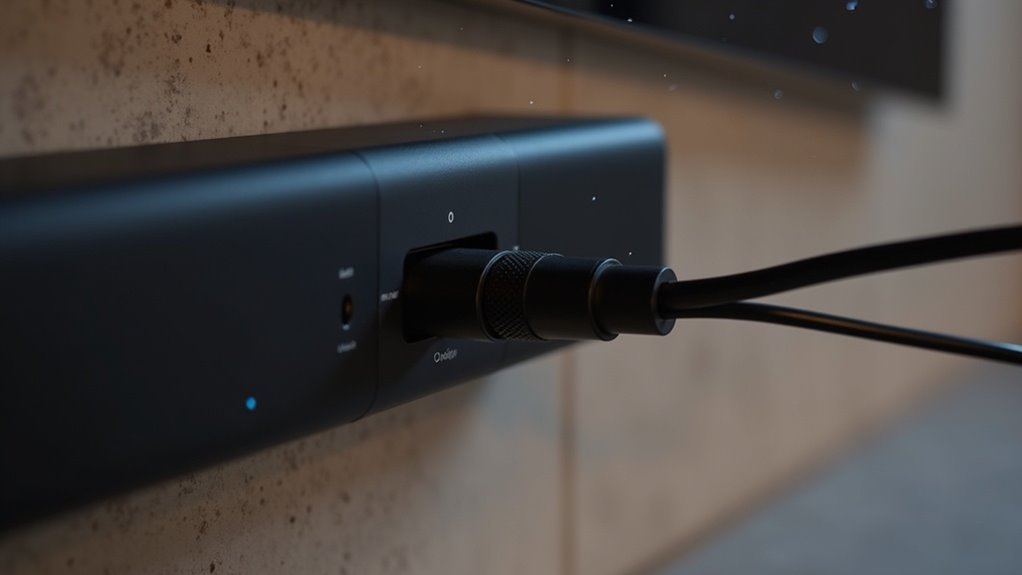
To route soundbar cables through a hollow wall plate, first ensure your safety by shutting off power and using a stud finder. Measure and mark where to cut the drywall for the wall plate openings, then use a drywall saw for clean cuts. Fish tape can be helpful in guiding the cables through the wall. Finally, connect your soundbar using in-wall rated HDMI or optical cables, ensuring everything is secure. For a seamless installation, additional detailed guidance is available.
Key Takeaways
- Before starting the cable routing for your soundbar, ensure that power is turned off and utilize a stud finder to locate any hidden wires in the wall.
- Carefully cut openings in the wall where the wall plate will be installed using a drywall saw, making sure the edges are clean for a professional finish.
- To effectively guide the soundbar cables through the wall cavities, use fish tape, which will help in maneuvering the cables easily.
- It’s important to use in-wall rated cables (CL2 or CL3) for safety and to comply with building codes, ensuring that your soundbar setup is both safe and effective.
- After successfully routing the cables through the wall plate, connect your soundbar to the TV using HDMI or optical cables for optimal audio performance.
Safety Precautions Before Starting the Installation
Before you begin the installation process for your soundbar, it’s crucial to prioritize safety to avoid accidents and ensure a smooth setup.
Always turn off the power in the area where you’ll be working to prevent electrical shock, especially near outlets.
Ensure safety by turning off power before installation to avoid electrical shock, particularly around outlets.
Use a stud finder to locate hidden electrical wires or plumbing to minimize drilling risks when mounting your soundbar.
Don’t forget to wear safety goggles to protect your eyes from debris when cutting any mounting materials.
Confirm you use in-wall rated cables, like CL2 or CL3, to comply with local building codes and prevent fire hazards during cable installations.
These precautions are essential for a successful soundbar setup.
Tools and Gear Needed for Cable Routing
With safety precautions in place, you’re ready to gather the necessary tools and gear for routing your soundbar cables. To ensure effective installation, you’ll need a stud finder to locate wall studs, guaranteeing safe cable routing. Fish tape will assist you in guiding soundbar wires through wall cavities. A drywall saw or utility knife is essential for creating openings for wall plates, which facilitate cable entry and management. Finally, ensure you use in-wall rated HDMI or speaker cables for optimal safety and performance. Here’s a quick overview of the tools you’ll need for your soundbar setup:
| Tool | Purpose |
|---|---|
| Stud Finder | Locate wall studs for safe routing |
| Fish Tape | Guide soundbar cables through walls |
| Drywall Saw | Cut openings for wall plates |
Steps to Cut Openings for the Wall Plate
To create openings for the wall plate for your soundbar setup, start by using a stud finder to locate the wall studs, ensuring you mark the precise location for installation.
Next, measure and mark the dimensions of the wall plate on the drywall, allowing for clearance for soundbar cable connectors.
Accurately measure and mark your wall plate dimensions on the drywall, ensuring enough space for soundbar cable connectors.
Using a drywall saw, carefully cut along the marked lines, making clean cuts for a neat opening.
After cutting, remove any loose drywall debris and smooth the edges to guarantee a proper fit for the wall plate.
Finally, install the wall plate firmly to the wall to provide a secure connection for your soundbar cables.
Fishing Cables Through the Wall
Once you’ve prepared the wall openings, fishing cables through the wall for your soundbar installation becomes a straightforward task. Use the following steps to ensure a successful setup:
- Insert fish tape through the access holes, guiding it through wall cavities and around studs to reach your desired soundbar location.
- If using multiple cables, run them through electrical non-metallic tubing (ENT) for added protection and organization.
- Mark cable lengths before cutting, leaving extra length for future adjustments to ensure your soundbar setup remains flexible.
- Choose in-wall rated cables (CL2 or CL3) to minimize fire hazards and comply with local codes, ensuring a safe installation for your soundbar.
This method not only simplifies navigation but also guarantees a clean finish for your soundbar setup, enhancing your home audio experience.
Finalizing the Installation and Connecting the Soundbar
Before you finalize the installation of your soundbar, ensure that the power cord and audio cables are properly routed through the wall plate, adhering to local building codes for safety.
Use a stud finder to verify that your wall plate holes avoid existing electrical wiring. Connect the soundbar to your TV using HDMI cables, preferably HDMI eARC/ARC for optimal audio quality, or an optical cable.
Make sure all connections are secure. For effective cable management, use cable clips or adhesive straps to keep cables organized along walls or baseboards.
Finally, test the soundbar by playing audio to check for any connectivity issues.







