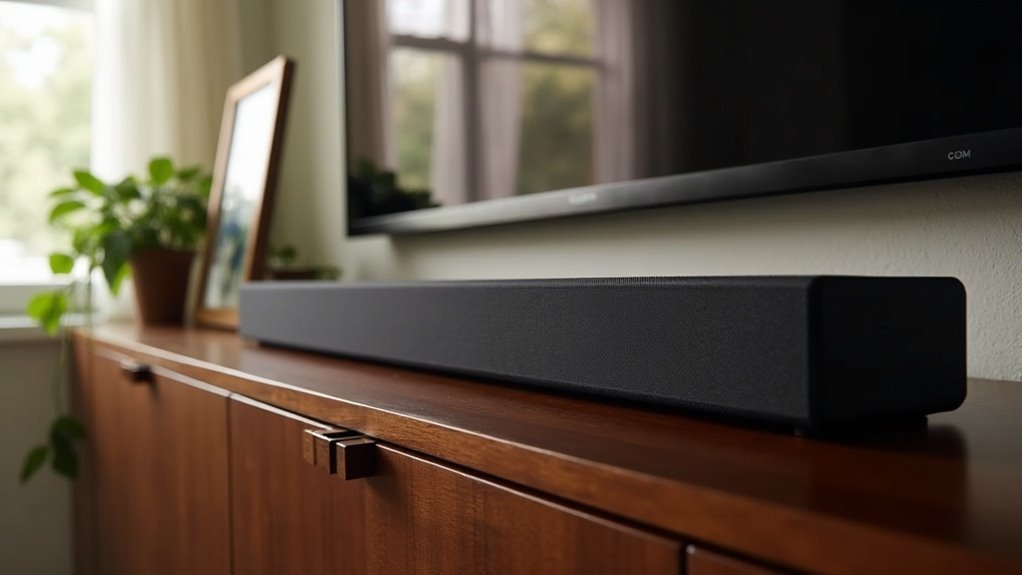
To place your soundbar on a cabinet effectively, ensure it’s at ear level and positioned directly in front of the TV for optimal sound quality. Maintain at least 3 inches of space around the soundbar to allow for proper airflow and prevent overheating. Avoid placing it in enclosed spaces, as this can muffle the sound and obstruct remote signals. For enhanced aesthetics and sound performance, consider using an open shelf design that promotes better audio projection. Explore additional tips for the perfect soundbar placement and setup!
Key Takeaways
- Position the soundbar directly in front of the TV and at ear level to ensure optimal sound projection and clarity.
- Maintain at least 3 inches of clearance on all sides of the soundbar for proper airflow and ventilation.
- Refrain from enclosing the soundbar within cabinets to avoid muffled sound quality and obstructed remote control signals.
- Choose an open shelf design to promote sound dispersion while keeping a tidy appearance.
- Ensure easy access to power outlets and HDMI ports for a hassle-free setup and connectivity experience.
Pros and Cons of Placing a Soundbar in a Cabinet
When considering the placement of a soundbar in a cabinet, it’s important to weigh both the benefits and drawbacks.
On the positive side, a cabinet can provide a neat and organized look, effectively concealing the soundbar and minimizing visual clutter in your entertainment area.
However, there are potential downsides that could affect your audio experience. For instance, sound quality may diminish due to muffling from the enclosed space, and remote control signals could be obstructed by cabinet doors.
Additionally, inadequate ventilation may lead to overheating, which could potentially damage your soundbar.
To achieve an optimal setup, it’s advisable to select a cabinet that allows for ample space and airflow, ideally leaving about 3 inches of clearance on all sides.
Carefully consider these pros and cons before finalizing your decision on soundbar placement.
How to Make a Cabinet Work for a Soundbar
Finding the right way to place a soundbar in a cabinet can greatly enhance your audio experience while maintaining a clean aesthetic. To make your cabinet work effectively for your soundbar, consider these tips:
| Tip | Details |
|---|---|
| Ventilation | Ensure there is at least 3 inches of space on all sides for optimal airflow. |
| Open Shelves | Opt for an open shelf design to improve sound dispersion and clarity. |
| Access | Make sure you have easy access to power outlets and HDMI ports for convenience. |
| Floating Options | Explore floating stands for ideal positioning that complements your setup. |
Avoid placing the soundbar in enclosed spaces to prevent muffled sound and obstructed signals. This will help you achieve the best audio experience possible with your soundbar.
Optimal Soundbar Placement Techniques
To achieve the best audio experience with your soundbar, place it directly in front of the TV at ear level while seated. This positioning guarantees peak sound projection and clarity, creating immersive audio that enhances your viewing experience.
Avoid placing the soundbar behind or inside cabinets, as this can muffle sound quality and obstruct audio dispersion. Ensure there’s at least 3 inches of clearance on all sides for proper ventilation.
If you prefer wall-mounting, install it directly below the TV to align audio output with your viewing angle. An open shelf cabinet design works best, allowing sound to project freely without obstruction.
Wiring and Setup Considerations
When it comes to wiring and setting up your soundbar, you’ll want to contemplate the best connection types and how to manage those cables effectively.
Whether you opt for a simple wireless setup or a wired connection using HDMI ARC, keeping your space tidy is key for optimal sound quality.
Make sure to plan for proper ventilation and avoid enclosed spaces to maximize both performance and aesthetic appeal of your soundbar.
Connection Types Explained
As you set up your soundbar, understanding the different connection types is essential for achieving the best audio experience.
The most convenient option is HDMI ARC (Audio Return Channel), which allows for simple audio transmission and control with one remote. Verify that both your TV and soundbar support this feature for seamless integration.
Optical cables offer a reliable digital connection but require manual volume adjustments, which may not be as convenient.
Bluetooth provides wireless convenience but can introduce audio lag, potentially affecting your enjoyment of gaming and movies.
Always check your soundbar’s compatibility with your TV’s connection options to avoid any connectivity issues during setup.
Cable Management Tips
Setting up your soundbar isn’t just about connecting it—organizing the cables can significantly enhance your audio experience. Start by using cable management solutions like adhesive cable clips or sleeves to neatly route and secure wires along the back of your entertainment center.
This approach helps maintain a clean appearance and prevents tangling, allowing you to focus on enjoying high-quality sound. If possible, choose a soundbar that supports wireless connectivity, as this reduces visible wiring and offers flexibility in placement within your space.
Additionally, consider using an HDMI ARC connection to simplify your setup with a single cable for both audio and control signals, making your soundbar integration seamless.
Remember to regularly check your cables to ensure everything stays secure and functioning optimally.
Soundbar Compatibility and Features
Selecting the ideal soundbar requires a thorough understanding of its compatibility and features, which can significantly enhance your home audio experience. When evaluating options, pay attention to configurations such as 2.0, 3.1, or 5.1.2, and consider an Atmos soundbar for a more immersive audio experience. Ensure that it is compatible with your 4K TV and offers various connection methods, including HDMI ARC, optical cables, or Bluetooth.
| Feature | Description | Importance |
|---|---|---|
| Channel Configurations | 2.0, 3.1, 5.1.2 | Determines audio depth |
| Dolby Atmos Support | Yes/No | Enhances surround sound |
| 4K TV Compatibility | Yes/No | Matches high-quality visuals |
| Connection Options | HDMI, Optical, Bluetooth | Versatile setup |
| Size Consideration | Fits within cabinet without blockage | Guarantees ideal sound |
With these factors in mind, you can make an informed decision that will elevate your audio experience.
Aesthetic and Practical Considerations
While you might be excited to enhance your audio experience with a soundbar, it’s crucial to evaluate both aesthetic and practical aspects of its placement.
Choose a cabinet that allows ideal sound projection, such as one with open shelves or a glass top, to enhance audio clarity. Ensure the cabinet complements your soundbar’s size and style, creating a visually appealing setup with your TV.
Hiding cables behind cabinet doors can improve aesthetics, but be sure that access is easy for maintenance.
Finally, remember to leave ventilation space to prevent overheating, guaranteeing both functionality and a clean, stylish look in your soundbar setup.







