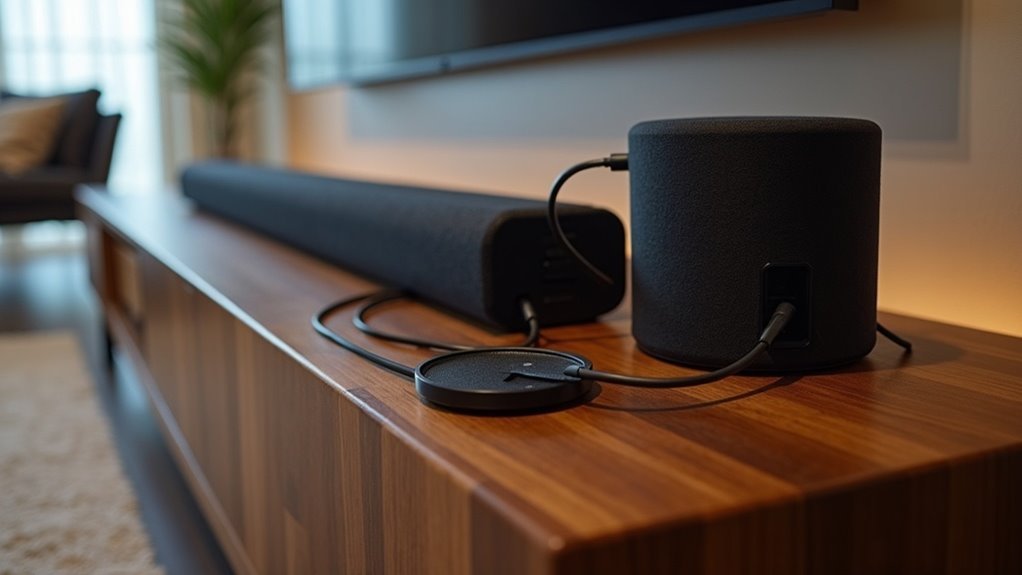
To connect a wired subwoofer to your soundbar, start by checking if your soundbar features a dedicated Subwoofer Out jack. If it does, use a monaural audio cable to connect the subwoofer to this jack. Ensure that both the soundbar and subwoofer are powered on and securely connected. To achieve balanced audio, adjust the subwoofer’s level and crossover settings accordingly. If you encounter any connection issues, make sure the subwoofer’s LINK indicator shows a solid blue light. Additionally, consider further optimizing your setup to enhance sound quality even more.
Key Takeaways
- Check the soundbar for a dedicated Subwoofer Out jack or speaker-level outputs to ensure compatibility with your wired subwoofer.
- Use a monaural audio cable with either RCA or 3.5mm jack, depending on the output type of your soundbar.
- Make sure both the soundbar and subwoofer are powered on and securely connected to prevent any audio issues.
- Adjust the subwoofer’s level and crossover frequency settings for a balanced audio experience that complements your soundbar.
- Experiment with the placement of the subwoofer to achieve optimal sound quality, avoiding corners or walls that could lead to distortion.
Understanding Subwoofer Compatibility With Soundbars
When evaluating the compatibility of a subwoofer with your soundbar, it’s essential to consider the specifications of both devices.
Many soundbars, particularly from brands like Sony and Samsung, may not feature a dedicated subwoofer output, which can complicate wired connections. However, some soundbars are designed with removable panels that allow for wired connections via RCA jacks or dedicated subwoofer input jacks.
It’s crucial to check your soundbar’s specifications, as active models often lack wired compatibility. On the other hand, passive soundbars can integrate effectively with traditional subwoofers, significantly enhancing sound quality.
Always ensure that both devices are powered and that you use the correct cables for a successful connection.
Required Equipment for Connection
To successfully connect your wired subwoofer to a soundbar, you’ll need the appropriate cables and adapters.
Ensure that your subwoofer type is compatible with the soundbar, as this will affect the connection method you use.
Furthermore, you’ll need to adjust the audio settings on your soundbar to optimize performance and ensure a seamless integration of sound.
Necessary Cables and Adapters
Connecting a wired subwoofer to your soundbar requires specific cables and adapters to ensure a seamless integration.
First, confirm you have a monaural audio cable with RCA jacks or a 3.5mm jack, depending on your soundbar’s subwoofer output.
Check if your soundbar features a dedicated Subwoofer Out jack, as this is essential for a direct connection.
If it doesn’t, you’ll need to use the speaker-level outputs from the soundbar, connecting them to the subwoofer’s high-level inputs.
Always verify compatibility between your soundbar and subwoofer to maintain optimal performance and avoid audio quality issues during playback.
Compatible Subwoofer Types
Choosing the right subwoofer type is essential for achieving the best audio performance from your soundbar setup. Here are some compatible subwoofer types to take into account:
- RCA Input Subwoofers: Ensure your subwoofer has RCA jacks for a straightforward connection to your soundbar.
- High-Level Speaker Terminal Subwoofers: These subwoofers can easily integrate into your system without requiring modifications to your soundbar.
- Dedicated SW Input Subwoofers: Look for subwoofers that feature specific subwoofer inputs, as they provide optimal performance with soundbars.
- Impedance and Power Matched Subwoofers: Always verify compatibility to avoid any risk of damaging your soundbar.
Audio Settings Adjustments
While having the right equipment is crucial for connecting a wired subwoofer to your soundbar, making the necessary audio settings adjustments can significantly enhance your overall listening experience.
Begin by ensuring that the subwoofer’s level is set correctly; this controls its volume in relation to the soundbar. Next, adjust the crossover frequency to ensure a smooth transition between the subwoofer’s output and the soundbar’s audio settings.
This frequency determines where the subwoofer takes over from the soundbar, preventing any unwanted overlap. Always refer to your soundbar’s user manual for specific recommendations, as these settings can vary by model, ensuring optimal performance and sound quality.
Step-by-Step Guide to Connecting a Wired Subwoofer
To connect a wired subwoofer to your soundbar effectively, start by checking for a Subwoofer Out jack on the soundbar.
Follow these steps:
- Use a monaural audio cable to connect the soundbar’s Subwoofer Out jack to the subwoofer’s Input jack.
- Confirm that both the soundbar and subwoofer are powered on.
- If your soundbar has a removable panel, explore it for additional connections that might provide enhanced stability.
- Fine-tune the subwoofer’s volume and crossover settings to achieve optimal audio performance that blends seamlessly with your soundbar.
This connection will significantly elevate your audio experience.
Troubleshooting Connection Issues
Connecting a wired subwoofer to your soundbar can greatly enhance your audio experience, but you may encounter issues during the setup process.
To start, ensure that both your soundbar and subwoofer are powered on and properly plugged into a wall outlet. If the subwoofer’s blue LED LINK indicator is blinking continuously, this indicates a failed connection.
To manually establish a connection, hold down the ID SET button on the subwoofer until the STANDBY indicator turns off. Next, activate the Mute function on your soundbar remote while the soundbar is off.
If the subwoofer still doesn’t connect, repeat these steps, ensuring that all connections are secure. For further assistance, refer to the user manual specific to your soundbar model.
Tips for Optimal Subwoofer Placement
Finding the right spot for your soundbar can significantly enhance your audio experience, as it plays a crucial role in delivering clear dialogue and immersive sound.
Here are some tips for ideal soundbar placement:
- Position the soundbar at ear level when seated for optimal sound projection.
- Avoid placing it too close to walls or furniture, which can cause distortion and affect sound quality.
- Experiment with different locations in the room to find the best sound balance.
- Ensure that the soundbar is aligned with your TV for a more cohesive audio-visual experience.
Enhancing Audio Quality With Subwoofer Settings
Achieving ideal audio quality with your soundbar involves more than just proper placement; it also requires fine-tuning your subwoofer settings.
Start by adjusting the crossover frequency to blend seamlessly with your soundbar, typically between 80-120 Hz. Next, use the volume control to match the subwoofer’s output level with the soundbar, ensuring that the bass complements rather than overwhelms the overall audio experience.
Experiment with phase settings at 0° or 180° for optimal synchronization between the subwoofer and soundbar. Additionally, consider the subwoofer’s placement, as low frequencies can vary significantly depending on the location.
Lastly, regularly check for firmware updates for your soundbar to enhance compatibility and overall sound quality.
Exploring Alternative Connection Options
When standard connections aren’t available for your soundbar, you can explore high-level speaker connections by tapping into the soundbar’s internal speaker wires.
Alternatively, consider RCA to subwoofer integration if you want to use your TV’s audio outputs, though this may limit your volume control.
Finally, keep an eye out for wireless connection alternatives that could simplify your soundbar setup, depending on its capabilities.
High-Level Speaker Connections
High-Level Speaker Connections for Soundbars
When traditional connection methods aren’t an option, high-level speaker connections provide a practical solution for integrating a wired subwoofer with your soundbar. Here’s what you need to know:
- Connection: Utilize the high-level inputs from the soundbar’s speaker terminals to connect the subwoofer.
- Caution: Avoid cutting any internal wires, as this can lead to damage to your soundbar.
- Compatibility: Ensure the subwoofer is connected in parallel with the soundbar’s speakers to achieve a seamless audio experience.
- Setup: Fine-tune the subwoofer’s crossover frequency and level controls to ensure optimal sound integration with your soundbar.
RCA to Subwoofer Integration
For soundbars that lack a dedicated subwoofer output, connecting a wired subwoofer using RCA audio outputs from your TV can be an effective workaround. This method allows your TV volume to control the subwoofer’s audio levels directly.
Most wired subwoofers feature crossover and level controls, enabling you to tailor the sound output to complement your soundbar. While you can tap high-level speaker terminals for a parallel connection, it’s advisable to avoid cutting internal wires to prevent damage.
Wireless Connection Alternatives
How can you enhance your soundbar experience with a wireless subwoofer? Utilizing a wireless sub can provide flexibility and eliminate cable clutter. Consider these options:
- Bluetooth Connectivity: Pair your wireless sub directly to a soundbar that supports Bluetooth for easy and quick setup.
- Proprietary Wireless Tech: Some soundbars are designed with specific wireless protocols, ensuring seamless integration with compatible wireless subs.
- RCA Outputs: If you have an existing wired sub, you can connect it to your TV’s RCA outputs for straightforward audio control.
- Third-Party Adapters: Look into adapters that can enable your current wired sub to connect wirelessly with your soundbar; just make sure to verify compatibility before making a purchase.
These alternatives can significantly enhance your audio setup and elevate your soundbar experience.







