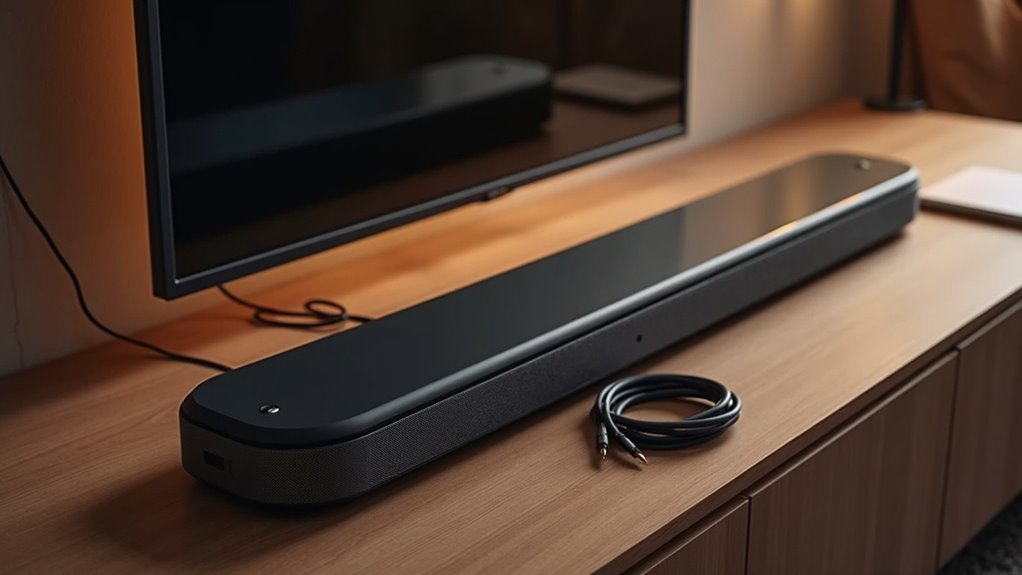
To connect two soundbars together, first confirm their compatibility, as not all soundbars support daisy chaining. Opt for wired connections, like HDMI ARC or optical cables, for better audio quality. Position your primary soundbar in front of the TV and connect it first. Link the second soundbar appropriately, ensuring you’re using a surround sound processor if needed. Adjust audio settings for ideal balance and performance. Explore further to uncover detailed setup tips and troubleshooting advice tailored specifically for soundbars.
Key Takeaways
- Verify compatibility between the two soundbars to ensure they can be daisy-chained effectively.
- Utilize a surround sound processor for managing distinct audio channels between the soundbars.
- Connect the primary soundbar to the TV using HDMI ARC or optical cables for optimal audio quality.
- Adjust the audio settings on both soundbars to balance volume levels and enhance sound distribution.
- Regularly check and update the firmware of your soundbars for improved performance and compatibility.
Understanding Compatibility Between Soundbars
When you’re looking to connect two soundbars, understanding their compatibility is essential to guarantee seamless integration.
Not all soundbars are designed for daisy chaining, so you must check the manufacturer’s specifications. Additionally, some setups require a surround sound processor to effectively manage audio channels.
Not all soundbars support daisy chaining; always consult the manufacturer’s specs and be aware of the need for a surround sound processor.
The compatibility also hinges on your TV’s audio output options, like HDMI ARC, optical, or auxiliary connections. For ideal sound quality, a hardwired connection is preferred, while Bluetooth may work for music playback.
Finally, consider the intended surround sound configuration, as this will greatly influence which soundbars can be successfully paired together.
Choosing the Right Connection Method
When selecting a connection method for your soundbar, it’s essential to carefully consider the advantages of both wired and wireless options.
Assess your preferred channel configuration to ensure it meets your audio setup objectives.
Furthermore, verify that your current equipment is compatible to prevent any integration challenges and to optimize sound performance.
Wired vs. Wireless Options
Two main connection methods exist for linking soundbars: wired and wireless.
For ideal audio quality and reliability, especially in surround sound setups, a wired connection is preferable. Using optical connections from your TV guarantees a stable signal essential for a cohesive sound experience with your soundbar.
While Bluetooth can facilitate music playback, it often fails to support the necessary audio channels for true surround sound when daisy chaining soundbars.
To achieve the best results, consider the limitations of your soundbars in processing surround sound, as they typically lack the capabilities of dedicated receivers and passive speakers.
Choose wisely based on your audio needs to enhance your soundbar experience.
Channel Configuration Considerations
Understanding channel configuration is essential for optimizing your soundbar setup. Decide whether you want a quadraphonic or 5.1 surround sound experience, as this will influence your connection method.
A hardwired connection is often best for daisy chaining soundbars, ensuring a stable audio signal and superior sound quality. If you plan to use soundbars as rear channels, consider models with wireless rear capabilities for easier installation.
Proper placement is vital; maintain appropriate distance from listeners while aligning with audio sources. Remember, most soundbars lack built-in surround processing, so a surround sound receiver may be necessary for managing distinct audio channels effectively.
Compatibility With Existing Equipment
Ensuring compatibility with your existing audio equipment is vital for successfully connecting two soundbars. Start by checking your TV or audio source’s output options, opting for a hardwired connection like optical or HDMI ARC for ideal sound quality.
This minimizes latency, which is significant when listening to music or engaging in surround sound setups. Assess if both soundbars support the same audio formats, as mismatches can hinder performance.
Additionally, confirm if your soundbars allow daisy chaining; some models may not. In such cases, consider utilizing a surround sound receiver to effectively integrate rear speakers, enhancing your overall audio experience with soundbars.
Wiring Your Soundbars Together
When wiring your soundbars together, start by ensuring compatibility between the devices to avoid any connection issues.
You’ll want to explore different connection methods, focusing on maintaining high audio quality.
Additionally, consider the setup and placement of your soundbars to optimize sound distribution for an enhanced audio experience.
Connection Methods Overview
Connecting two soundbars together effectively requires careful consideration of the wiring methods to guarantee stable audio performance. A hardwired connection is preferred, as it assures consistent audio transmission.
You may consider daisy chaining your soundbars, but be aware that this approach can become complex, particularly for setups like quadraphonic or 5.1. Incorporating a surround sound processor is essential for achieving distinct channel output, as most soundbars lack built-in processing capabilities.
For ideal audio quality, using a receiver with passive LCR speakers is advisable; soundbars are typically designed for space-efficiency rather than superior sound performance.
Always evaluate your existing equipment’s compatibility beforehand to ensure optimal integration.
Soundbar Compatibility Check
Before you proceed with wiring two soundbars together, it’s crucial to check their compatibility to avoid potential issues. First, confirm that both models support daisy chaining or multi-unit configurations; not all soundbars do.
For peak performance, use a hardwired connection, as wireless links may cause latency and audio synchronization problems. Verify your audio source’s specifications to guarantee it can output the multiple channels needed for both soundbars.
If your soundbars lack built-in surround sound processing, consider using a surround sound processor.
Finally, make sure you have the necessary cables, like optical or HDMI ARC, for compatibility with your setup.
Setup Considerations and Tips
To achieve an ideal surround sound experience by wiring two soundbars together, it’s important to consider several factors that influence audio performance and system compatibility.
Start with a hardwired connection, as this minimizes latency and ensures superior audio quality. When daisy chaining soundbars, align the configuration with your desired setup, such as quadraphonic or 5.1.
Opt for soundbars with built-in surround sound processing to eliminate the need for an external receiver. Utilize optical connections for enhanced performance and ensure compatibility between the soundbars.
Lastly, assess your existing audio equipment and plan wire placement strategically to avoid complexity and optimize sound distribution.
Setting Up the First Soundbar
Placing the first soundbar in front of your television is essential for achieving optimal audio performance. Make sure it’s centered and at ear level for the best sound distribution.
Connect the soundbar to your TV using an optical cable or HDMI ARC, as these options provide superior audio quality. Once connected, power on the soundbar and switch to the correct input source, typically via the remote control or onboard buttons.
Adjust the soundbar settings through the remote or app to enhance audio output based on your room’s acoustics and personal preferences. If your soundbar has smart features, connect it to your home Wi-Fi network to fully utilize its capabilities.
Enjoy an immersive audio experience that enhances your viewing pleasure!
Linking the Second Soundbar
Once you’ve set up your first soundbar, linking a second soundbar can enhance your audio experience, provided both units have compatible inputs and outputs.
For ideal sound quality, consider a hardwired connection. If you aim for a surround sound effect, a surround sound processor may be necessary, as most soundbars lack built-in processing capabilities.
For a wireless option, some soundbars support Bluetooth connections, but this is best for music playback, not surround sound. Assess your desired setup—whether quadraphonic or 5.1—since this influences equipment requirements.
Alternatively, a surround sound receiver with passive speakers may deliver a more authentic surround experience, but keep in mind that soundbars are designed for convenience and compact setups.
Adjusting Audio Settings for Optimal Performance
While both soundbars can greatly enhance your audio experience, adjusting their settings for optimal performance is essential.
Follow these steps to make the most out of your soundbars:
- Designate the Primary Soundbar: Configure the audio settings on your main soundbar to ensure it acts as the primary output source, which helps to minimize latency.
- Utilize a Surround Sound Processor: If you have access to a surround sound processor, employ it to manage audio channels effectively, ensuring signals are accurately transmitted to each soundbar.
- Balance Volume Levels: Adjust the volume levels of each soundbar to prevent any single unit from overpowering the others, thereby creating a harmonious surround sound experience.
Remember to regularly update the firmware to benefit from the latest enhancements and compatibility improvements.
Troubleshooting Common Connection Issues
When connecting two soundbars, you might encounter various issues that can disrupt your audio experience. First, verify both soundbars are compatible for daisy chaining by checking the manufacturer’s guidelines.
Opt for hardwired connections, like optical cables, to avoid latency associated with Bluetooth. Confirm your audio source can output distinct channels to both soundbars, as some setups don’t support this.
If sound isn’t playing correctly, inspect all cable connections and input settings. Finally, if using a surround sound processor, confirm it’s configured properly to manage audio channels effectively, guaranteeing a cohesive sound experience across both soundbars.