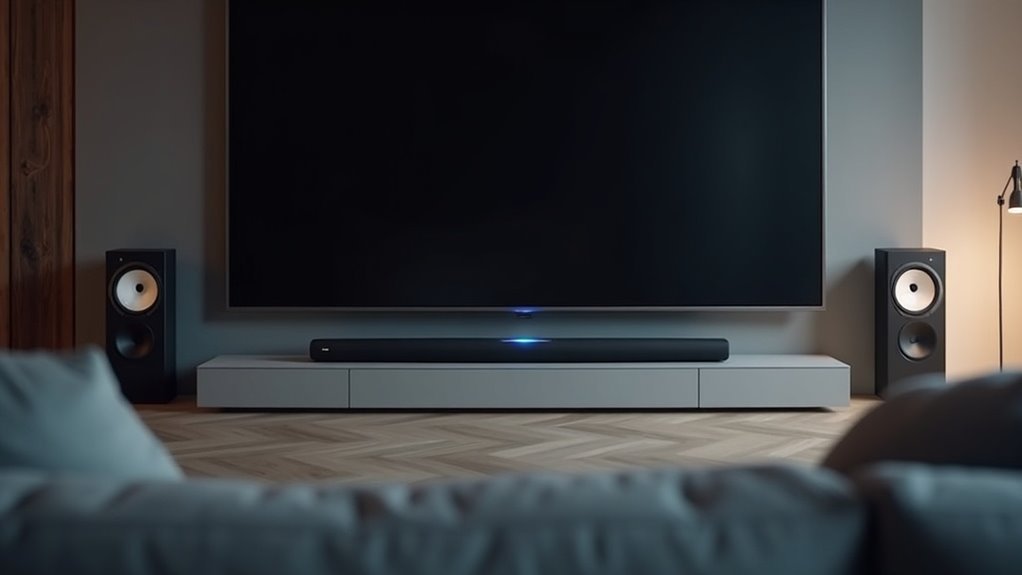
To pair rear speakers with your soundbar, first, verify compatibility by checking the user manual specific to your soundbar model. Power off the soundbar, then plug in the wireless receiver designed for rear speakers. Activate pairing mode on the rear speakers by pressing the PAIRING button. Next, turn on the soundbar to establish the connection. Keep an eye on the LED indicators; a solid green light indicates a successful pairing. If automatic pairing fails, you can manually pair the devices by holding down the PAIRING button on both the soundbar and the rear speakers. For the best audio experience, consider optimizing your setup by adjusting speaker placement and settings.
Key Takeaways
- Ensure compatibility of rear speaker kits with your soundbar model for optimal pairing and surround sound performance.
- Power off the soundbar, then plug in the wireless receiver and activate pairing mode on the rear speakers.
- Turn on the soundbar to initiate the pairing process, monitoring LED indicators for connection status.
- If automatic pairing fails, manually press and hold the PAIRING button on both the receiver and rear speakers.
- Maintain appropriate distances from devices and obstacles to minimize interference, ensuring a successful and stable connection.
Understanding Rear Speaker Compatibility
When setting up rear speakers with your soundbar, it’s essential to confirm compatibility to achieve the best audio experience.
Opt for rear speaker kits designed specifically for your soundbar model, especially if you’re aiming for a 5.1 surround sound system or better. The SWA-9500S model stands out as it’s fully wireless aside from power cords, unlike other kits that require a wired receiver module.
Always consult your soundbar’s user manual for compatibility details and proper connection instructions. This will help you avoid installation issues and enjoy a cohesive audio experience that enhances your overall sound quality.
Preparing for Connection
Before connecting your rear speakers, ensure they’re compatible with your soundbar for optimal performance.
Begin by setting up the wireless connection: power on your soundbar and position it near the speakers.
If automatic pairing doesn’t succeed, you can manually initiate the process using the PAIRING button located on the rear speakers or wireless receiver.
Speaker Compatibility Check
To ensure optimal performance in your audio setup, it’s essential to confirm the compatibility of your rear speaker kit with your soundbar model.
Here are the steps to follow:
- Check the specifications or user manual for both your soundbar and the wireless rear speakers.
- Ensure that any models requiring a wireless receiver are properly powered and paired with the soundbar.
- Determine if a wireless dongle is necessary for your soundbar; refer to the manual for specific instructions.
- Assemble the rear speaker kit correctly by matching the color-coded plugs to the corresponding labeled speakers.
Wireless Connection Setup
Setting up a wireless connection between your soundbar and rear speakers involves a few essential steps to guarantee a smooth pairing process.
First, ensure your soundbar is powered off. Next, plug the power cable of the wireless receiver for the rear speakers into an electrical outlet.
Then, put the rear speakers into pairing mode by pressing the PAIRING button on each unit. Once everything’s powered, turn on the soundbar.
Monitor the LED indicators: a blinking green light means the connection is in progress, while a solid green light indicates success.
If the pairing fails, simply repeat the process, verifying that both devices are ready for connection.
Enjoy your enhanced audio experience with your soundbar and rear speakers!
Manual Pairing Process
While preparing for the manual pairing process between your soundbar and rear speakers, start by ensuring the soundbar is powered off.
Follow these steps for a successful connection:
- Press and hold the PAIRING button on both the wireless receiver and the rear speakers.
- Plug the power cord of the wireless receiver into an outlet to power it on.
- Turn the main unit (soundbar) back on to initiate the connection.
- Confirm successful pairing by checking if the LED indicator on the receiver turns solid green.
This process will help you enjoy enhanced audio with your soundbar and rear speakers seamlessly integrated.
Automatic Pairing Process
Initiating the automatic pairing process for rear speakers with your soundbar is straightforward; just follow a specific sequence to guarantee a successful connection.
First, confirm that the power cable for the wireless subwoofer is plugged in, then connect the rear speakers, and finally, power on the soundbar using its power button.
Watch the LED indicators: a blinking green light means pairing is in progress. Once the connection is established, the LED will glow solid green, confirming success.
If the light remains red, check your power connections and turn off the soundbar before trying again.
For optimal performance, keep the soundbar close to the subwoofer.
Manual Pairing Steps
For users who prefer a hands-on approach, manually pairing rear speakers with your soundbar is a reliable alternative to automatic pairing.
Follow these steps for successful pairing:
- Turn off your soundbar before starting the pairing process.
- Press the PAIRING button on both the wireless receiver and the rear speakers.
- Plug the wireless receiver into an outlet and power on the soundbar.
- Keep an eye on the yellow-green LED on the receiver; it will blink quickly during pairing and remain solid when connected.
If the speakers don’t pair successfully, repeat the process, ensuring that the soundbar remains powered on throughout.
Enjoy your enhanced audio experience with your soundbar setup!
Troubleshooting Connection Issues
If you’re experiencing connection issues with your rear speakers and soundbar, it’s essential to troubleshoot effectively to restore optimal performance. First, ensure that the soundbar is powered off before attempting to pair the devices. If the LED indicator on the speakers displays red, press the PAIRING button to initiate the connection process. A blinking yellow-green LED indicates that the speakers are in pairing mode and ready to connect. If you continue to encounter difficulties with the wireless connection, be sure to remove any obstructions and confirm that you are within the recommended range for the devices.
| Indicator Color | Meaning |
|---|---|
| Red | Poor connection |
| Yellow-Green | Pairing mode active |
| Solid Green | Successfully connected |
Volume Adjustment for Rear Speakers
While adjusting the volume of your rear speakers can greatly enhance your audio experience with a soundbar, it’s crucial to do so correctly to achieve the best surround sound.
Here are some steps to help you with rear speaker volume adjustments using a soundbar:
- Use the soundbar remote settings for personalized control over your audio.
- Look for dedicated controls or settings on your soundbar to balance rear speaker volume.
- Confirm the soundbar’s audio settings are configured correctly for optimal performance.
- Refer to the soundbar user manual for specific instructions after pairing your rear speakers.
Regularly adjusting the rear speaker volume can notably improve your listening experience, especially during movies or games with dynamic audio.
Optimizing Speaker Placement
To optimize speaker placement for your soundbar setup, position your rear speakers at least 30 cm away from the soundbar and ensure they’re unobstructed for the best audio signal.
Keep them at ear level when seated to enhance your surround sound experience.
Additionally, make sure they’re directed towards the listening area to improve sound localization and overall performance.
Distance From Soundbar
Properly positioning your rear speakers is vital for achieving an ideal surround sound experience with your soundbar. The distance from the soundbar plays a significant role in sound quality.
Follow these guidelines for optimal placement:
- Position rear speakers at least 30 cm away from the TV or monitor.
- Maintain a distance of at least 1 meter from devices that generate strong electromagnetic waves.
- Install the soundbar close to the wireless subwoofer to minimize delays.
- Ensure no obstacles hinder the connection between the soundbar and rear speakers for the best audio performance.
Avoiding Obstructions
To achieve optimal audio performance with your soundbar, it’s crucial to maintain an unobstructed path between the soundbar, rear speakers, and wireless subwoofer.
Position your soundbar close to the subwoofer to minimize distance and avoid potential obstructions. Ensure that rear speakers are placed at least 30 cm away from your TV to prevent audio signal interference.
Additionally, keep a minimum distance of 1 meter from devices like microwaves and wireless routers, as they can generate strong electromagnetic waves that lead to wireless interference.
Regularly check the LED indicators on your subwoofer and rear speakers to monitor connection status and adjust placement if any obstructions disrupt performance.
Speaker Height Considerations
When positioning a soundbar, it’s essential to evaluate its height for optimal sound performance. Proper soundbar height considerations can greatly enhance sound quality, creating an immersive experience.
Follow these guidelines:
- Position the soundbar at ear level when seated for clarity.
- Ideally, mount it 1-2 feet above the floor to improve sound dispersion.
- If using an in-wall soundbar, ensure it’s approximately 30 cm from the TV for the best audio staging.
- Angle the soundbar towards the listening area to enhance surround sound effects.
Seeking Support and Feedback
Pairing rear speakers with your soundbar can greatly enhance your audio experience, but it’s essential to follow the correct steps for optimal performance.
If automatic pairing doesn’t work, you can manually connect by pressing the PAIRING button on both the wireless receiver and rear speakers.
Keep an eye on the LED indicators for feedback; a solid green light means success, while a red light indicates a problem.
If you continue to experience issues, don’t hesitate to consult the user manual for troubleshooting tips or reach out to customer support.
They’re available to provide guidance and help resolve any connection problems, ensuring you enjoy superior audio quality from your soundbar setup.







