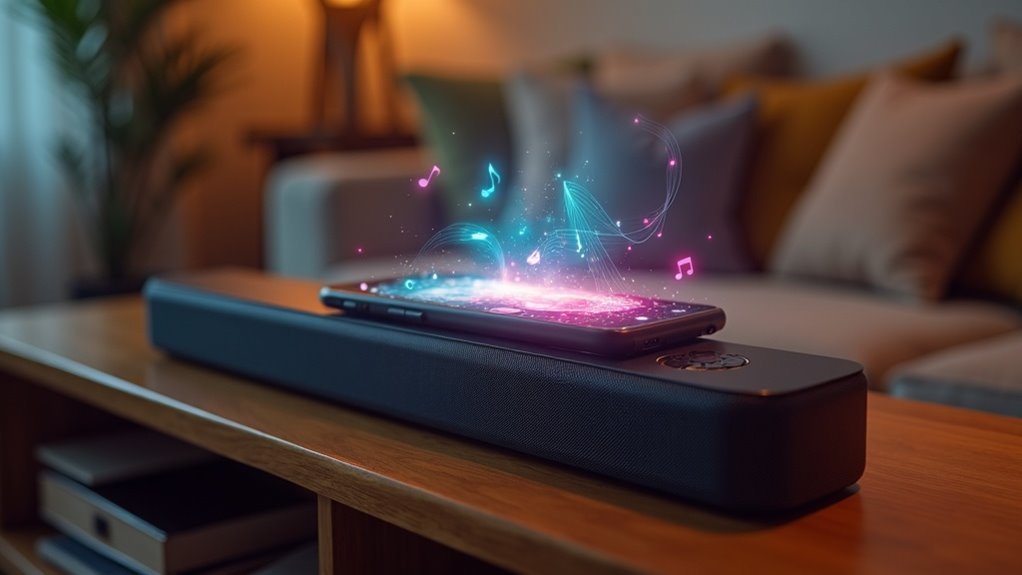
Soundbars connect to phones primarily through Bluetooth, providing a convenient way to enjoy high-quality audio without the hassle of tangled wires. To establish a connection, simply power on your soundbar and switch it to Bluetooth mode. Ensure that your soundbar is in discoverable mode, then navigate to your phone’s Bluetooth settings and select your soundbar from the available devices. Once you confirm the connection, you can enjoy seamless audio playback directly from your phone. Interested in learning more about the setup process and the benefits of using a soundbar? Let’s dive deeper!
Key Takeaways
- Soundbars connect to phones using Bluetooth technology, enabling wireless audio playback without the hassle of cables.
- To start the pairing process, make sure the soundbar is powered on and set to Bluetooth mode, which is usually indicated by a BT indicator.
- On your phone, navigate to the Bluetooth settings and select the soundbar from the list of available devices.
- Confirm the connection by checking the soundbar display for the name of your phone, and adjust the volume on both devices as needed.
- Experience enhanced audio quality and the convenience of wireless control, allowing you to manage playback directly from your phone.
Understanding Bluetooth Technology in Soundbars
When you want to enhance your audio experience, understanding how soundbars utilize Bluetooth technology can make a significant difference.
Soundbars, such as those from Samsung, connect wirelessly to your mobile devices, allowing for seamless audio playback without the hassle of messy cables. To pair your soundbar, ensure it’s in discoverable mode and select it from your device’s Bluetooth settings.
The Tap Sound feature simplifies this process, enabling quick connections by simply tapping compatible devices against the soundbar. Activating pairing mode typically involves holding down the Bluetooth button on the soundbar.
Once paired, you can enjoy an enriched sound output and effortlessly control your music from your mobile device, greatly elevating your listening experience.
Steps to Set Up Your Samsung Soundbar
Setting up your Samsung soundbar is a straightforward process that can significantly enhance your audio experience. Follow these steps to get started:
Setting up your Samsung soundbar is easy and will greatly improve your audio experience.
- Power on your soundbar and select the Bluetooth (BT) source.
- Ensure the soundbar is discoverable by checking for a BT indicator on the display.
- On your mobile device, navigate to Bluetooth settings and press the Bluetooth button on the soundbar.
- Wait for the soundbar (e.g., Samsung soundbar P450) to appear in your mobile device’s Bluetooth list and select it.
- Confirm the pairing, then check the soundbar display for the device name to verify a successful connection.
With these simple steps, you’ll be ready to enjoy high-quality sound from your Samsung soundbar!
Initiating Bluetooth Pairing With Your Phone
To start Bluetooth pairing with your phone and enhance your soundbar experience, first ensure your soundbar is powered on and set to Bluetooth mode, which is indicated by a BT symbol on the display.
Next, access the Bluetooth settings on your phone. Press and hold the Bluetooth button on the soundbar to make it discoverable.
Wait for your soundbar to appear in your phone’s Bluetooth list—select it to begin the pairing process. Once paired, check the soundbar’s display for the connected device name.
Finally, adjust the volume on both the soundbar and your phone before testing the connection with audio playback for the best sound experience.
Confirming the Connection With Your Soundbar
Once you’ve selected your soundbar from your phone’s Bluetooth list, it’s essential to confirm the connection to ensure everything is set up correctly.
Follow these steps to guarantee a successful pairing with your soundbar:
- Check the soundbar’s display for your phone’s name as confirmation of the connection.
- Ensure that the soundbar is set to Bluetooth (BT) as the active source.
- Adjust the volume on both your phone and soundbar for optimal sound levels.
- Look for any visual or auditory cues, such as a beep or indicator light, that signify a successful connection.
- Test audio playback to confirm that sound is being transmitted through the soundbar.
Enjoying Audio Playback Wirelessly
Enjoying audio playback wirelessly with soundbars revolutionizes your listening experience, offering the freedom from tangled wires and complex setups. With Samsung soundbars like the S60/S61B and S800B/S801B, you can easily connect via Bluetooth for seamless audio playback. Ensure your soundbar is set to discoverable mode in your phone’s Bluetooth settings for a hassle-free connection. The Tap Sound feature allows for quick pairing with a simple tap, enhancing convenience. Once connected, you can control playback directly from your phone while enjoying superior sound quality. Additionally, multiple users can connect simultaneously, making these soundbars ideal for social gatherings.
| Feature | Description | Benefits |
|---|---|---|
| Bluetooth | Wireless connection to devices | No tangled wires |
| Tap Sound | Simple pairing with a tap | Fast and convenient |
| Discoverable | Soundbar set to allow pairing | Easy setup |
| Multiple Users | Connect several devices at once | Perfect for parties |
| Enhanced Sound | High-quality audio output | Superior listening experience |
Benefits of Connecting Your Phone to a Soundbar
Connecting your phone to a soundbar significantly enhances your audio experience, whether you’re enjoying music or watching movies.
It also simplifies sharing playlists with friends, allowing multiple users to connect and play their favorite tunes effortlessly.
With convenient features like Bluetooth pairing, your gatherings will sound better than ever, making your soundbar an essential addition to your entertainment setup.
Enhanced Audio Experience
When you pair your phone with a soundbar, you instantly elevate your audio experience, enjoying richer sound quality that far surpasses standard phone speakers.
Here are some key benefits of using a soundbar:
- Powerful Sound: Experience immersive audio with enhanced bass and surround sound features that bring your media to life.
- Wireless Convenience: Stream music without the clutter of cables, making it perfect for parties or gatherings.
- Multi-User Accessibility: Connect multiple devices easily for a shared listening experience that everyone can enjoy.
- Playback Control: Adjust volume and select tracks directly from your phone for seamless navigation and control.
- Enhanced Media Consumption: Enjoy movies, games, and music like never before with superior sound quality that immerses you in the action.
Convenient Music Sharing
Pairing your phone with a soundbar not only enhances your audio experience but also simplifies music sharing.
With Bluetooth connectivity, streaming music becomes effortless—no more dealing with tangled cables. This feature is especially useful for parties, as multiple users can easily connect and take turns sharing their favorite tracks.
Additionally, the Tap Sound feature enables quick playback initiation with just a tap, making it even more convenient. Enjoy the superior sound quality that a soundbar offers, which is significantly better than your phone’s built-in speakers.
You’ll also love the freedom to control playback from a distance, allowing you to adjust volume or change songs without being constrained to the soundbar.







