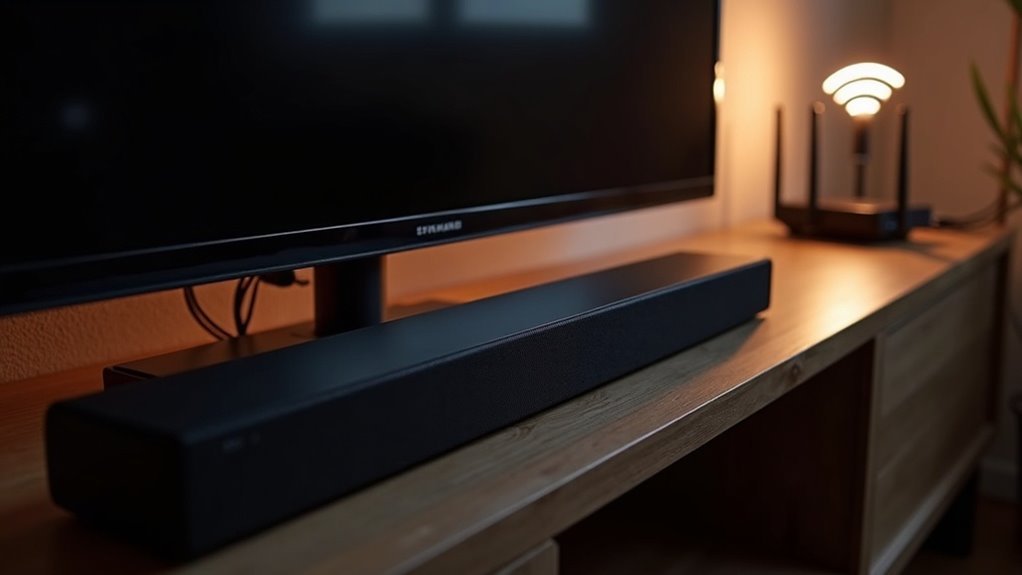
Yes, a soundbar can interfere with 2.4 GHz Wi-Fi because it often operates on the same frequency. This overlap can lead to connectivity issues, particularly in environments with multiple devices. If you have wireless rear speakers placed too close to your router, it can exacerbate these problems, resulting in speed dips and audio delays. To enhance your soundbar experience, consider adjusting the placement of your devices or switching to different frequencies for better performance. Explore more tips to optimize your soundbar setup for seamless connectivity.
Key Takeaways
- Soundbars often operate on the 2.4 GHz frequency, which can lead to interference with Wi-Fi signals that utilize the same band.
- Wireless rear speakers linked to soundbars can also contribute to congestion on the 2.4 GHz frequency, impacting overall Wi-Fi performance.
- The proximity of soundbars and wireless devices to the router can worsen connectivity issues and result in audio dropouts.
- Switching between 2.4 GHz and 5 GHz bands may result in performance dips and requires careful management.
- Adjusting the placement of devices and enabling MU-MIMO technology can help reduce Wi-Fi interference caused by soundbars.
Understanding Soundbar Connectivity and Frequency Use
As you explore soundbar connectivity, it’s essential to understand that many models operate on the 2.4 GHz frequency, which overlaps with Wi-Fi signals.
This overlap can lead to interference, especially in crowded environments. Soundbars, such as the JBL BAR series, may experience connectivity issues when powered on, affecting devices sharing the same frequency.
Interference from overlapping frequencies can cause connectivity issues for soundbars like the JBL BAR series in crowded environments.
In addition, when using rear speakers, the constant switching between 2.4 GHz and 5 GHz bands can exacerbate performance dips.
To enhance connectivity, consider moving your soundbar or mesh nodes further apart. Some users find that sticking to the 2.4 GHz band offers more stable connections.
The Impact of Wireless Rear Speakers on Wi-Fi Performance
While enjoying your home theater experience with a soundbar, you might not realize that wireless rear speakers can significantly impact your Wi-Fi performance. Operating on the 2.4GHz frequency, these speakers may cause interference with your Wi-Fi, leading to reduced speeds and connectivity issues. The proximity of your speakers to the router can exacerbate this problem, especially if they’re positioned far apart.
| Factor | Impact on Wi-Fi Performance |
|---|---|
| Distance from Router | Increased interference |
| Number of Active Wireless Devices | Greater congestion |
| Soundbar Power On | Temporary speed dips |
| Network Configuration | Prioritization can help minimize issues |
To enhance your home theater experience and mitigate these effects, consider optimizing your network configuration.
Common Interference Issues in Home Theater Setups
In soundbar setups, wireless signal interference can significantly affect audio performance and streaming quality.
Bandwidth allocation issues occur when multiple devices, including the soundbar and other wireless speakers, operate on the same 2.4 GHz frequency.
Moreover, distance and physical obstructions between the soundbar and other devices can complicate connectivity, resulting in frustrating audio dropouts or delays.
Wireless Signal Interference
Wireless signal interference is a common challenge in soundbar setups, particularly as these devices rely on a stable connection for optimal performance.
Soundbars that operate on the 5GHz frequency can experience significant disruption from devices using the 2.4GHz band, such as Wi-Fi routers. Users might notice disconnections of subwoofers and rear speakers, especially when the soundbar is in use, which can lead to temporary dips in internet speed.
To mitigate this interference, it’s advisable to relocate mesh network nodes away from the soundbar. While adjusting Wi-Fi settings, such as assigning fixed IP addresses, may provide some improvement, these adjustments often don’t fully resolve connectivity issues caused by overlapping frequencies.
Bandwidth Allocation Challenges
Soundbars often encounter bandwidth allocation challenges that can disrupt home theater setups.
When your soundbar operates on the 5GHz frequency, it may face interference from nearby devices, leading to connectivity issues with 2.4GHz Wi-Fi networks.
Eero mesh networks can add to the complexity by automatically switching your soundbar between bands, resulting in unstable connections.
If your soundbar shares the 2.4GHz band with other wireless devices, you may experience disconnections from subwoofers and rear speakers.
Moreover, placing wireless equipment too close together can exacerbate interference, causing temporary dips in internet speed whenever the soundbar is powered on.
Distance and Obstruction Effects
While you’re setting up your soundbar, the distance between it and your Wi-Fi router plays an essential role in performance.
If your soundbar operates on a 2.4 GHz frequency, it may interfere with your Wi-Fi, leading to slow speeds and connectivity issues. Walls, furniture, and other obstructions can exacerbate this problem, weakening the Wi-Fi signal.
Furthermore, devices like microwaves and cordless phones can disrupt both the soundbar and Wi-Fi. To minimize interference, position your router or mesh nodes away from the soundbar, and consider switching to the 5 GHz band for a more stable connection, if your soundbar supports it.
Solutions to Mitigate Wi-Fi Interference From Soundbars
To effectively reduce Wi-Fi interference caused by soundbars, consider adjusting their placement relative to your router and other network components.
Move the soundbar and its wireless subwoofers further away from the Wi-Fi router for peak performance.
To achieve optimal performance, place the soundbar and wireless subwoofers at a greater distance from the Wi-Fi router.
If your mesh network allows, connect the soundbar to the 2.4 GHz band to enhance stability, as this frequency typically offers better range through obstacles.
Enabling MU-MIMO on compatible systems can also improve efficiency, allowing simultaneous signal transmission to multiple devices.
Finally, regularly monitor your internet speed when the soundbar is on to identify and address any interference issues promptly.
Best Practices for Optimizing Your Mesh Network
To optimize your soundbar experience, focus on device placement and minimizing interference.
Position your soundbar away from mesh network nodes and other electronic devices that may disrupt audio quality.
Additionally, ensure that your soundbar is connected to a stable network band, utilizing the 2.4GHz band for a reliable connection while configuring your network settings for optimal performance.
Device Placement Strategies
Effective soundbar placement is crucial for optimizing audio performance and minimizing interference, especially from mesh networks and other wireless devices.
Position your soundbar away from other electronics, particularly mesh nodes, to reduce potential disruptions, especially on the 5GHz band. If possible, connect your soundbar to devices that operate on the 2.4GHz band, as they typically experience less interference.
Regularly assess your soundbar’s arrangement; even small adjustments can enhance your audio experience.
Utilize features such as Bluetooth or Wi-Fi streaming to boost connectivity with multiple devices and consider rearranging furniture to eliminate obstacles that may hinder sound quality, ensuring a clear path for audio delivery.
Band Selection Techniques
While many users rely on automatic band steering for their devices, manually selecting the right frequency band can considerably enhance your soundbar experience.
To reduce interference with your soundbar, position your audio equipment away from mesh nodes and, if possible, connect your soundbar to the 2.4GHz band for better reliability. This band is less prone to interference compared to the 5GHz band, which can enhance audio performance.
Additionally, enabling MU-MIMO settings, if supported, allows your soundbar and other devices to receive signals simultaneously, boosting overall sound quality.
Regularly monitor and adjust device placement and band selection to tackle connectivity issues and improve your home audio experience.
When to Seek Professional Assistance for Connectivity Problems
When connectivity problems with your soundbar persist despite your best troubleshooting efforts, it’s important to consider seeking professional assistance.
If you notice frequent disconnections of your soundbar’s subwoofer or rear speakers, it may indicate significant interference with your 2.4 GHz Wi-Fi network. Persistent dips in internet speed, especially when the soundbar is in use, can signal deeper issues that professionals can help diagnose.
If you have tried various troubleshooting methods without success, consulting an expert is advisable. They can identify potential interference from other devices and ensure your soundbar operates effectively.
Additionally, if your soundbar is under warranty, don’t hesitate to seek service for optimal performance.







