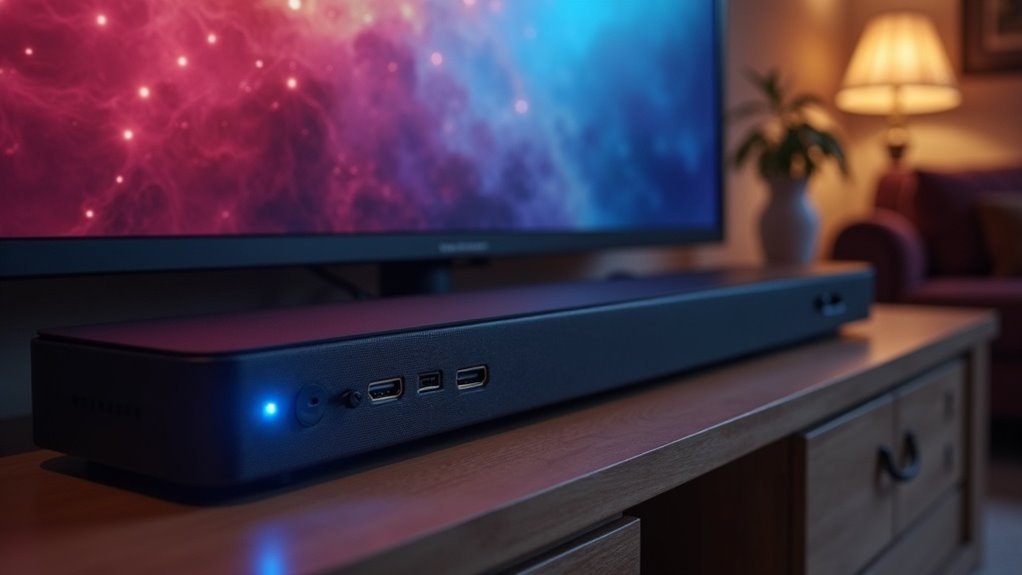
A soundbar won’t wake on HDMI CEC from all HDMI ports; it must be connected to the designated HDMI ARC port to respond to CEC signals from your TV. Both your soundbar and TV need to have CEC enabled for proper functionality. If you’re experiencing issues, check your connections and settings. There are more nuances to ensuring seamless integration and performance with your soundbar, so exploring further will provide you with essential insights to optimize your audio setup.
Key Takeaways
- A soundbar will only wake via CEC from the HDMI port designated for ARC, not from other HDMI ports.
- Both the soundbar and TV must support HDMI CEC and have it enabled for wake functionality.
- Misconfigured settings on the soundbar may lead to unexpected wake behavior; consult the manual for proper setup.
- Using high-speed HDMI cables is recommended to ensure effective CEC signal transmission.
- If issues arise, reset CEC communication by unplugging and re-plugging devices, and check for HDMI cable damage.
Understanding HDMI CEC Functionality
When it comes to HDMI CEC (Consumer Electronics Control) functionality in soundbars, it’s crucial to understand how this technology enhances your audio experience.
HDMI CEC allows your soundbar to wake up automatically when you power on your TV through any compatible HDMI port, ensuring that your audio kicks in seamlessly with your visual entertainment.
However, keep in mind that not all HDMI ports on your devices support CEC, so it’s important to check your soundbar’s configuration.
You can customize CEC settings to control power states for both your TV and soundbar, but these options can vary by manufacturer.
Misconfigured settings can inadvertently cause your soundbar to wake unexpectedly, disrupting your listening experience.
Always refer to your soundbar’s manual for specific guidance on enabling and managing HDMI CEC functionality to achieve optimal performance.
The Role of ARC in Soundbar Activation
When using HDMI ARC, your soundbar can activate in response to CEC signals, but this functionality often hinges on the specific devices involved.
You may encounter limitations if your soundbar isn’t connected to the designated ARC port, as not all soundbar models respond to CEC commands from other HDMI inputs.
Understanding these nuances can help you troubleshoot activation issues effectively with your soundbar.
Understanding ARC Activation
While many users expect their soundbars to wake up automatically, understanding the role of HDMI ARC (Audio Return Channel) in soundbar activation is essential.
HDMI ARC allows audio signals to return to the soundbar, enabling it to detect when your TV powers on, which is crucial for an enhanced audio experience. This functionality is particularly important for enjoying Dolby Atmos in your home theater setup.
However, it’s important to note that not all HDMI ports support ARC; only those specifically designated as ARC ports will activate correctly.
Additionally, ensure that both your TV and soundbar have CEC (Consumer Electronics Control) enabled in their settings, as this feature can significantly influence the activation process and overall compatibility of your soundbar.
Limitations of HDMI CEC
Understanding the limitations of HDMI CEC is crucial for optimizing your soundbar‘s performance. Typically, a soundbar will only wake up from the HDMI port designated for ARC (Audio Return Channel).
If your soundbar is connected to a non-ARC HDMI port, it won’t respond to CEC commands, necessitating manual activation. To ensure your soundbar responds to HDMI CEC, make sure to connect it to your TV’s ARC port, which is specifically designed for audio transmission and control.
It’s important to note that not all HDMI ports support ARC functionality, so be sure to verify the specifications of your devices. Additionally, both your soundbar and TV must support HDMI CEC, and this feature should be enabled for successful operation.
Limitations of Non-ARC HDMI Ports
While many soundbars can connect to TVs with multiple HDMI ports, using non-ARC HDMI ports can lead to significant challenges.
These ports don’t support the Audio Return Channel feature, which means audio can’t be sent back to the soundbar from the TV. As a result, your soundbar may not activate through HDMI CEC from these ports, as they can’t transmit the essential power-on signals.
Users will have to power on devices connected via non-ARC HDMI ports manually. Furthermore, audio quality may be compromised, limited to standard formats.
For optimal performance and full CEC functionality, it’s highly recommended to connect soundbars using a dedicated ARC port.
Setting Up Your Soundbar for Optimal CEC Performance
To achieve optimal CEC performance with your soundbar, it’s essential to enable HDMI CEC settings on both your TV and soundbar.
Ensure that your HDMI cables are of high-speed quality to facilitate effective signal transmission.
Additionally, verify that all connected devices, including your soundbar, support CEC to prevent any compatibility issues.
Enable HDMI CEC Settings
Have you checked your HDMI CEC settings to ensure your soundbar is optimized for peak performance?
Start by confirming that both your soundbar and TV have HDMI CEC enabled in their settings; different manufacturers may label this differently, such as Anynet+ for Samsung or Bravia Sync for Sony.
Connect your soundbar to the TV using the designated HDMI ARC port to enable effective communication.
It’s important that the CEC feature allows your soundbar to respond to power-on commands from the TV.
If you experience any issues, try unplugging all connected devices and then re-plugging them to reset the CEC communication, which can often resolve connectivity problems.
Check HDMI Cable Quality
To ensure optimal performance for your soundbar’s CEC functionality, the quality of your HDMI cables is crucial. Poor-quality cables can interfere with reliable communication, so keep these important factors in mind:
- Labeling: Choose cables labeled as High Speed or Premium High Speed to ensure compatibility with CEC features.
- Length: Aim to keep cable lengths under 15 feet to avoid signal degradation that can impact CEC performance.
- Certification: Select HDMI cables that are certified by the HDMI Licensing Administrator, as they adhere to performance standards necessary for effective CEC operation.
Additionally, make it a habit to regularly check your cables for any signs of damage or wear, as these issues can disrupt CEC signals and ultimately affect your soundbar’s performance.
Confirm Device Compatibility
How can you confirm that your soundbar and TV are compatible with HDMI CEC for optimal performance?
Start by checking the specifications of both devices to determine CEC compatibility, as this can differ between models and brands.
Then, access your soundbar’s settings to enable HDMI CEC, which may not be activated by default.
Use high-quality HDMI cables that support CEC to avoid any signal loss.
Additionally, ensure that your TV’s CEC settings are configured to allow audio devices to wake when powered on.
If your soundbar features multiple HDMI inputs, make sure the correct one is selected and supports CEC for seamless integration.
Troubleshooting CEC Issues With Your Soundbar
While troubleshooting CEC issues with your soundbar, it’s essential to remember that not all HDMI ports support wake functionality through CEC.
Follow these key steps to ensure a seamless experience:
- Check TV Settings: Ensure that CEC is enabled for all connected devices in your TV’s settings, as this is crucial for proper communication with your soundbar.
- Soundbar Configuration: Refer to the user manual to confirm that CEC is activated on your soundbar, ensuring it can respond correctly to commands.
- Inspect Connections: Make sure all devices are powered on and properly connected. If problems persist, consider testing with a different HDMI cable or port.
Taking these actions can significantly help you resolve CEC communication issues with your soundbar effectively.
Benefits of Using HDMI ARC for Soundbars
When you opt to use HDMI ARC with your soundbar, you’re not just streamlining your setup; you’re also significantly enhancing audio quality. This single-cable solution minimizes clutter while elevating your sound experience. Here’s a quick comparison of standard HDMI and HDMI ARC specifically for soundbars:
| Feature | Standard HDMI | HDMI ARC |
|---|---|---|
| Audio Direction | One-way | Two-way |
| Cable Count | Multiple cables | Single cable |
| Audio Formats | Limited | e-ARC supports advanced formats |
| Remote Control | Separate remotes | Unified controls |
With HDMI ARC, your soundbar will provide seamless integration and immersive audio, making your listening experience truly exceptional.
Alternative Methods for Soundbar Activation
While HDMI CEC offers a convenient way to activate soundbars, it’s not the only option available.
You can explore these alternative methods to enhance your audio experience:
- Optical or Auxiliary Connections: Many soundbars support activation through optical or auxiliary audio cables, ensuring reliable performance and sound quality.
- Dedicated Remote Controls: Using the soundbar’s remote allows for direct activation without the need to deal with HDMI settings, making it simple to get started.
- Smart Home Systems: If you have a smart home setup, you can integrate your soundbar for activation via voice commands or automation, providing a seamless experience.
These methods offer flexibility and ensure your soundbar is ready to deliver an exceptional audio experience, regardless of HDMI CEC functionality.
Ensuring Compatibility Between Devices
To ensure your soundbar activates correctly via HDMI CEC, it’s crucial to confirm compatibility between your devices.
First, check if your soundbar can wake from all HDMI ports or just the ARC port. Make sure your TV is set up to send CEC signals from the appropriate ports; connecting your soundbar to the correct ARC or CEC-enabled port is key.
Additionally, don’t forget to enable specific CEC settings in both the TV and soundbar, as detailed in their user manuals. The sequence in which you power on your devices can affect CEC recognition, so be mindful of that.
Lastly, keeping the firmware updated is vital for optimizing your soundbar’s functionality.







