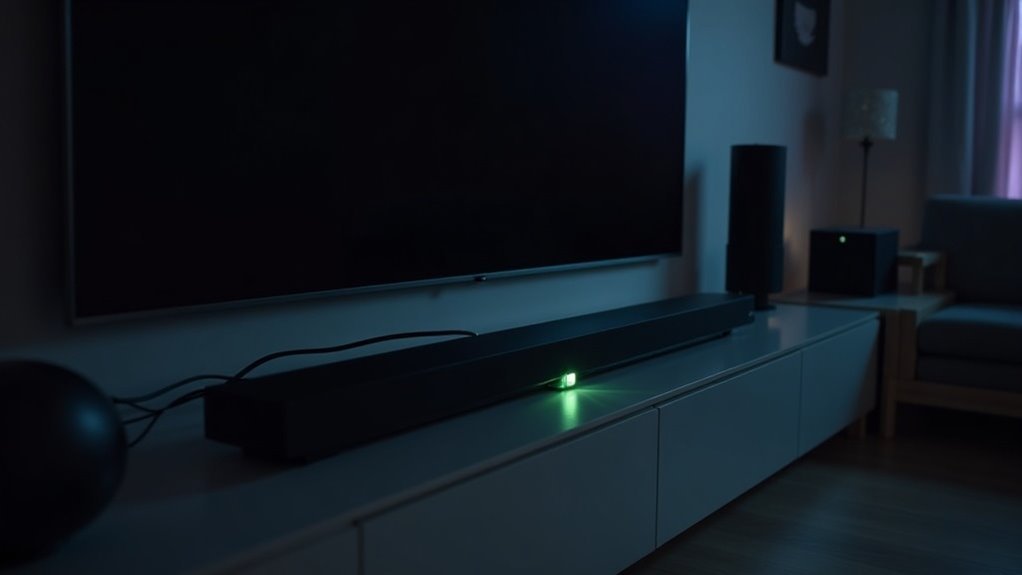
Yes, soundbars can support Ethernet connections, but utilizing power-saving modes may affect performance. When in these modes, your soundbar might switch to a wireless connection, which can lead to latency and degrade audio quality. It’s important to note that only the main soundbar should be connected via Ethernet for optimal sound performance. To ensure consistent audio delivery and avoid interruptions, consider the impact of wireless frequencies and configurations in your soundbar setup.
Key Takeaways
- Some soundbars may switch to wireless modes when in power-saving, even if connected via Ethernet.
- Power-saving modes can impact audio performance and synchronization due to latency issues.
- Connecting only the main soundbar via Ethernet is recommended for optimal audio quality.
- Surround sound may still function with rear speakers disconnected from Ethernet, complicating setups.
- Using a wired connection is essential to minimize dropouts, but power-saving modes can override this stability.
Understanding Ethernet Connections for Soundbars
When you connect your soundbar via Ethernet, you ensure a stable internet connection that minimizes latency and enhances audio performance.
This direct link supports your audio system by guaranteeing continuous communication without device dropouts. While your soundbar may switch to a wireless network in power-saving modes, it typically operates on the 2.4 GHz frequency, which can compromise performance.
A direct Ethernet connection ensures uninterrupted communication, enhancing audio performance while avoiding the limitations of a wireless network.
To optimize your soundbar setup, keep only the soundbar connected via Ethernet, allowing satellite speakers and subwoofers to connect wirelessly.
This approach maintains high-quality audio while avoiding interference, ensuring your soundbar operates efficiently without unnecessary latency.
The Role of Wireless Frequencies in Home Theater
In soundbar systems, understanding the functionality of 2.4 GHz and 5 GHz frequencies is vital for maintaining audio quality.
While 2.4 GHz is commonly used for general connectivity, the 5 GHz band is necessary for connecting your soundbar with minimal latency.
Properly configuring these frequencies guarantees peak performance and synchronization during playback.
2.4 GHz Functionality Explained
Understanding the role of wireless frequencies, particularly 2.4 GHz and 5 GHz, is essential for optimizing your soundbar’s performance.
Soundbars often utilize 2.4 GHz for general connectivity and power-saving modes, which can hinder synchronization and audio quality. In contrast, 5 GHz is preferred for soundbar setups, minimizing audio latency.
Your soundbar can establish an exclusive 5 GHz network, ensuring seamless communication with any additional speakers or subwoofers. Recognizing these frequency capabilities allows you to configure your soundbar system effectively, avoiding delays and enhancing your overall audio experience.
Prioritizing 5 GHz will optimize your soundbar setup considerably.
Importance of 5 GHz
Utilizing a 5 GHz network in your soundbar setup significantly enhances audio performance.
This frequency minimizes audio latency, ensuring that your soundbar syncs perfectly with any additional speakers for a seamless listening experience. While all soundbars can operate on 2.4 GHz, the 5 GHz connection provides a more stable link for audio streaming, reducing potential delays that can affect sound quality.
If your soundbar switches to 2.4 GHz in power-saving mode, you might notice synchronization issues with other devices. By establishing a dedicated network through your soundbar, you can leverage the full benefits of 5 GHz, optimizing your home audio experience.
Benefits of a Wired Setup for Sound Quality
While many people opt for wireless connections due to convenience, a wired setup significantly improves sound quality for your soundbar. Connecting via Ethernet ensures a stable internet connection, eliminating device dropouts and providing reliable performance.
This direct communication reduces latency, enhancing audio synchronization and overall sound quality during playback. By avoiding delays from wireless routing, you’ll enjoy clearer and more consistent audio output from your soundbar.
For optimal performance, connect only the main soundbar directly via Ethernet while allowing satellite speakers to connect wirelessly. Additionally, a wired setup helps mitigate issues related to power-saving modes that can negatively impact sound quality.
Challenges of Achieving a Fully Wired Configuration
Achieving a fully wired configuration for your soundbar setup can present several challenges, particularly with models that automatically switch to power-saving mode.
Even when connected via Ethernet, some soundbars may still utilize a 2.4 GHz wireless frequency, resulting in unexpected wireless connections. You might notice the soundbar app displaying “no Wi-Fi,” yet audio could still transmit wirelessly.
Additionally, surround sound may function even if rear speakers are disconnected from Ethernet, indicating a preference for wireless communication.
For optimal performance, it’s often recommended to connect only the main soundbar via Ethernet while relying on wireless connections for satellite speakers and subwoofers.
Clarifying Wireless Capabilities of the Sonos Sub
How does the Sonos Sub maintain its wireless capabilities while ensuring peak audio performance in conjunction with soundbars?
The Sonos Sub (Gen 3) utilizes both 2.4 GHz and 5 GHz frequencies, with 5 GHz being essential for syncing audio with your soundbar in home theater setups. In power-saving mode, it defaults to 2.4 GHz, which can introduce latency.
For optimal performance, connect your soundbar via ethernet, as a stable link is crucial. Surround speakers also benefit from the dedicated 5 GHz network established by the soundbar, preventing delays.
Understanding these capabilities helps you maximize your Sonos Sub’s performance when paired with soundbars and avoid confusion in wireless configurations.
Community Support for Sonos Users and Technical Queries
Are you seeking reliable support for your soundbar? The soundbar community is a fantastic resource for technical assistance and troubleshooting. Here’s how you can benefit:
- Ask Questions: Engage with fellow users to resolve setup issues, whether wired or wireless.
- Share Solutions: Contribute your experiences to help others troubleshoot and optimize their soundbars.
- Acknowledge Help: Use the like button and select best answers to foster a collaborative environment.
With ongoing support from community members, you’ll find the resources and guidance you need to enhance your soundbar experience.
Don’t hesitate to participate!







