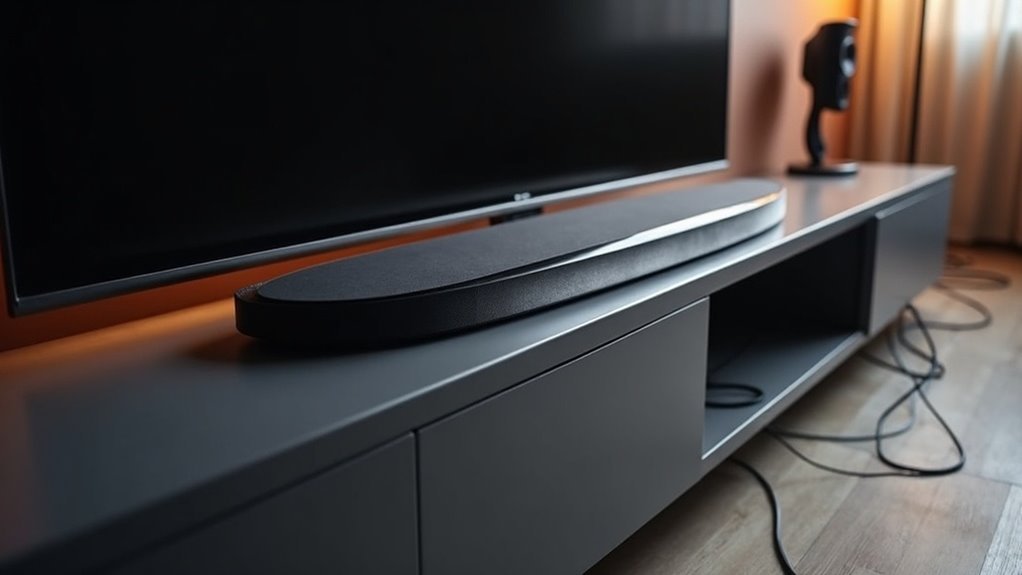
Soundbars handle ARC conflicts by utilizing the HDMI ARC and CEC protocols for optimal communication. When both protocols are activated, soundbars typically manage audio transmission efficiently. However, issues such as audio dropouts and recognition problems may occur due to firmware incompatibilities or incorrect settings. To resolve these conflicts, it’s important to check your connections, power cycle your devices, and ensure that your firmware is up to date. By understanding these troubleshooting methods, you can enhance your overall audio experience with your soundbar. There is even more to explore on this topic to maximize your enjoyment.
Key Takeaways
- Soundbars may experience audio dropouts due to conflicts in HDMI CEC settings, so it’s essential to enable CEC on all connected devices for optimal performance.
- If a soundbar is not recognized by your TV, power cycling both the TV and soundbar can often resolve connectivity issues.
- Adjusting the Digital Sound Out settings on your TV may help troubleshoot audio conflicts and improve soundbar detection.
- Using high-quality HDMI cables can significantly reduce interference and improve signal integrity, thus minimizing potential ARC conflicts.
- Regular firmware updates for both the soundbar and TV are crucial for enhancing compatibility and addressing known issues related to ARC conflicts.
Understanding HDMI ARC and CEC Protocols
When setting up your soundbar with a home entertainment system, understanding HDMI ARC and CEC protocols is crucial, as they play a significant role in streamlining audio and device control.
HDMI ARC (Audio Return Channel) allows for two-way audio transmission between your TV and soundbar using a single cable, enhancing audio quality.
HDMI ARC enables two-way audio transmission between your TV and soundbar, simplifying setup and improving sound quality.
Meanwhile, CEC (Consumer Electronics Control) enables seamless communication between devices, allowing you to control your soundbar with your TV remote.
However, CEC can sometimes lead to conflicts, resulting in audio dropouts or your soundbar not being recognized.
To optimize performance, be sure to verify that CEC is enabled on all devices in your HDMI ARC setup.
Common Issues With HDMI ARC Connections
Even with a solid understanding of HDMI ARC and CEC protocols, soundbar users often encounter common issues that can disrupt their audio experience.
One major problem is no sound output, often due to improper connections or using a non-ARC HDMI port on the soundbar. You might also face inconsistent audio quality or dropouts, typically linked to firmware compatibility between the soundbar and the TV.
If HDMI CEC isn’t enabled, audio conflicts can arise, complicating communication between the devices. Additionally, audio delay can occur from mismatched settings, particularly with unsupported audio output formats.
Testing different HDMI cables and power cycling the soundbar and TV can help identify and resolve these common ARC issues.
Troubleshooting HDMI ARC Problems
How can you effectively troubleshoot HDMI ARC problems with your soundbar when they disrupt your audio setup? Start by checking your HDMI ARC Input connections and ensuring they’re secure. Power cycling both your TV and soundbar often resolves many issues. Adjust your audio settings; toggle the Digital Sound Out settings between Auto and Pass Through to diagnose sound output problems. Here’s a quick reference for troubleshooting your soundbar:
| Issue | Solution | Notes |
|---|---|---|
| No sound output | Check HDMI connections | Verify ARC ports are used |
| Intermittent audio | Power cycle devices | Update firmware if necessary |
| Soundbar not detected | Reset soundbar to factory settings | Test with different HDMI cables |
Power Cycling Devices for Reset
Power cycling your soundbar is a crucial step for resetting any temporary issues that may arise.
To effectively perform this reset, you’ll need to turn off your soundbar, unplug it for about five minutes, and then reconnect and power it back on.
This simple process can resolve audio conflicts, restore HDMI CEC functionality, and enhance overall performance of your soundbar.
Importance of Power Cycling
Why is power cycling essential when troubleshooting HDMI ARC conflicts with your soundbar?
Power cycling involves turning off your soundbar and TV, then unplugging them to allow their internal systems to reset. This process often resolves issues by clearing temporary glitches that disrupt audio signals between your soundbar and TV.
When you power cycle both devices together, it helps re-establish the HDMI ARC connection and sync settings correctly. It’s recommended as a first step in addressing problems like no sound output or audio dropouts from your soundbar.
Regular power cycling also helps maintain peak performance and ensures that firmware updates for your soundbar are recognized and applied effectively.
Steps for Effective Reset
To effectively reset your soundbar and TV, start by turning off both devices and unplugging them from the power source for about five minutes.
This power cycling refreshes the internal settings, potentially resolving temporary communication issues, especially with HDMI ARC.
After waiting, reconnect the power and turn on both devices.
Ensure the HDMI cable is securely connected to the HDMI ARC port on both the soundbar and the TV to facilitate proper audio transmission.
If you experience inconsistent audio output or the soundbar isn’t recognized, this reset can help maintain peak performance and address minor glitches in your audio system.
Expected Outcomes After Reset
Once you’ve completed the reset process for your soundbar, you can expect several positive outcomes that enhance its interaction with your TV.
Power cycling restores HDMI ARC functionality by resetting connection parameters and clearing temporary glitches.
After reconnecting your devices, ensure the HDMI cable is securely connected to the HDMI ARC port on both the soundbar and the TV.
You may need to reconfigure your audio settings, selecting the soundbar as the output device and enabling HDMI ARC in your TV’s audio settings.
This refresh can also improve firmware communication, potentially resolving compatibility issues that disrupt audio transmission over HDMI ARC, leading to an overall better audio experience.
Ensuring Correct HDMI Connections
To ensure optimal performance from your soundbar, begin by locating the HDMI port labeled “ARC” on your TV, as this is crucial for enabling audio return functionality.
Ensure that the HDMI cables are firmly connected at both ends to prevent any possible audio dropouts.
Additionally, check that your other HDMI devices support CEC and that this feature is activated, as it will enhance communication with your soundbar for a more integrated audio experience.
HDMI Port Identification
Identifying the correct HDMI ports is essential for guaranteeing ideal audio performance when connecting a soundbar to your TV.
Look for the HDMI port labeled as “ARC” on your television, which is specifically designed for Audio Return Channel functionality. Your soundbar should connect to the HDMI port marked “HDMI OUT (ARC).”
Not all HDMI ports support ARC, so it’s crucial to consult your TV’s manual to determine the appropriate connection. Using non-ARC ports can lead to no audio output and disrupt CEC features.
In setups with multiple HDMI devices, ensure that only one port is designated for ARC to avoid conflicts and maintain stable audio transmission. This ensures that your soundbar delivers the best audio experience possible.
Secure Cable Connections
Securing cable connections is essential for optimizing audio performance between your soundbar and TV. Start by ensuring the HDMI cable is firmly connected to the HDMI ARC port on both devices. Loose connections can lead to audio dropouts or complete sound loss.
Always use high-speed HDMI cables that support ARC functionality; inferior cables may struggle with data transfer. Ensure you’re connected to the correct HDMI port labeled “ARC,” as not all ports support this feature.
Periodically inspect for dust or damage, and reseat the connections to refresh them, preventing potential issues and maintaining a stable audio experience with your soundbar.
Verify CEC Settings
How can you confirm that your soundbar and TV communicate effectively through HDMI ARC?
Start by verifying the Consumer Electronics Control (CEC) settings on both devices. Access the settings menu and ensure CEC is enabled—look for labels like Anynet+ on Samsung or Simplink on LG.
Next, confirm your soundbar is connected to the HDMI port labeled ARC, as not all HDMI ports support this functionality.
Additionally, check that all HDMI connections are secure and that you’re using a high-quality HDMI cable, which is crucial for optimal soundbar performance.
Regularly updating the firmware of both your soundbar and TV can also help resolve compatibility issues and enhance audio quality.
Configuring Audio Settings for Compatibility
When configuring audio settings for compatibility with a soundbar, it’s essential to access your TV’s audio menu and designate the soundbar as the primary audio output device while ensuring HDMI ARC functionality is enabled. Adjust the Digital Sound Out settings by toggling between Auto and Pass Through, and set it to PCM for optimal sound format compatibility. Make sure the soundbar is connected to the correct HDMI ARC input. Lastly, activate CEC features specific to your TV brand for seamless communication between devices.
| Setting | Purpose |
|---|---|
| HDMI ARC | Enables audio signal transmission from TV to soundbar |
| Digital Sound Out | Optimizes sound format compatibility for better audio quality |
| Input Selection | Ensures proper source connection to the soundbar |
| CEC Activation | Facilitates smooth device communication for easier usage |
| Firmware Updates | Enhances compatibility and resolves potential issues |
Updating Firmware for Optimal Performance
Keeping your soundbar’s firmware updated is crucial for ensuring optimal performance, particularly for HDMI ARC functionality.
Regular firmware updates can help resolve compatibility issues that may arise between your soundbar and TV, enhancing audio quality and connectivity. These updates frequently address known bugs, minimizing audio dropouts and improving overall stability.
Many soundbar manufacturers release updates that support new audio formats, ensuring your system remains up to date. You can easily find firmware updates through the manufacturer’s website or your soundbar’s settings menu.
It’s recommended to check for updates periodically, as new releases may specifically target ARC-related issues you may encounter over time.
Exploring Alternative Solutions for Audio Issues
What if your soundbar experiences audio issues due to HDMI ARC conflicts? You can explore alternative solutions to restore audio transmission.
First, consider using an optical cable, which bypasses HDMI ARC and offers a stable connection without CEC dependencies.
Consider using an optical cable for a stable audio connection, bypassing HDMI ARC and CEC issues.
If you prefer wireless options, many soundbars support Bluetooth, allowing you to stream audio directly from your devices.
Additionally, employing HDMI switches or splitters can help manage multiple connections and minimize ARC conflicts.
Finally, ensure your soundbar’s firmware is up-to-date, as updates often address compatibility issues tied to HDMI ARC and enhance overall performance.







