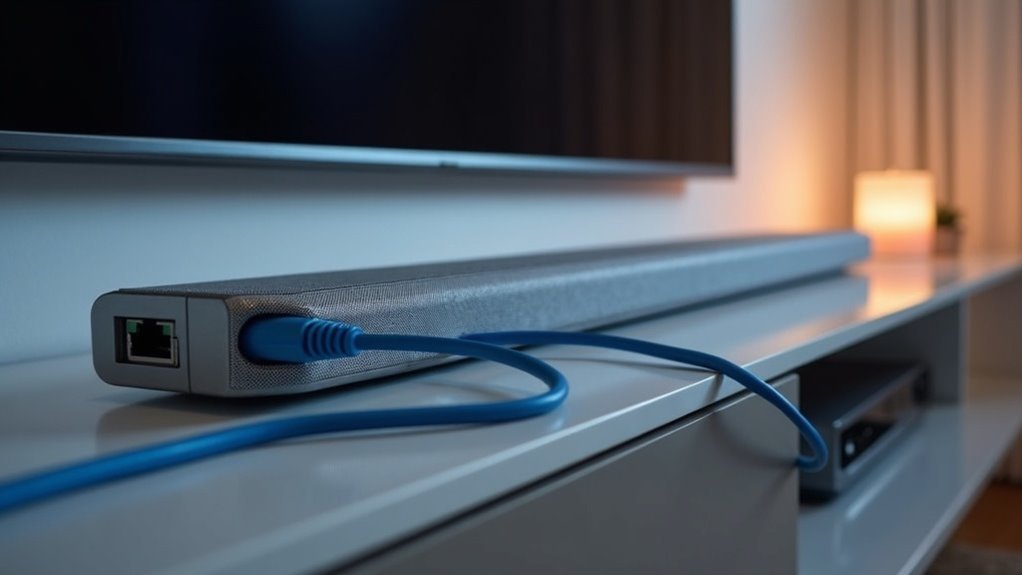
Soundbars utilize Ethernet connections to enhance your audio experience by providing stable streaming and minimizing latency. This wired setup ensures superior audio quality and facilitates the integration of your soundbar with smart home devices. With an Ethernet connection, you can access popular streaming apps directly and receive firmware updates, keeping your device up to date. For a more thorough understanding of how to optimize your soundbar’s connectivity, there’s more to explore on this site dedicated to soundbars.
Key Takeaways
- Soundbars utilize Ethernet to deliver a stable, high-quality audio streaming experience, effectively minimizing latency and buffering issues.
- Wired connections through Ethernet ensure reliable firmware updates, which enhance the functionality and overall audio performance of the soundbar.
- With Ethernet, users can enjoy direct access to popular streaming apps, thereby improving convenience and expanding entertainment options.
- Ethernet also allows for remote IP control, facilitating seamless integration with smart home devices for better overall management.
- When compared to wireless connections, Ethernet significantly reduces interference, ensuring consistent and superior audio playback quality for soundbar users.
Understanding Ethernet Connections in Soundbars
When you connect a soundbar via Ethernet, you unlock a variety of benefits that significantly enhance your audio experience.
A TV soundbar equipped with an Ethernet port allows for superior streaming quality and network control features, which greatly minimize latency and buffering. This wired connection ensures more stable performance, which is particularly crucial for high-quality audio.
Furthermore, certain soundbars leverage Ethernet for functionalities such as PlayFi, facilitating seamless integration into multi-room audio systems. You’ll also benefit from remote IP control, simplifying the management of your settings.
While not every soundbar requires a wired connection, utilizing Ethernet can greatly enhance your soundbar’s functionality and reliability.
Benefits of Wired Connections for Soundbars
A wired connection offers numerous advantages for soundbars that can elevate your audio experience.
A wired connection significantly enhances your soundbar’s audio experience with improved quality and reliability.
Here are three key benefits:
- Enhanced Audio Quality: Wired connections ensure stability for streaming services, minimizing audio dropouts and delivering clearer sound.
- Reduced Latency: With a wired setup, you’ll experience less buffering, allowing for smoother playback of high-quality content.
- Reliable Updates: Firmware updates are more easily delivered through a wired connection, keeping your soundbar up to date with the latest features.
Key Features Enabled by Ethernet
While many soundbars primarily serve as audio output devices, those equipped with Ethernet connectivity unlock a range of advanced features that significantly enhance your listening experience.
With Ethernet, you can access popular streaming apps directly on your soundbar, eliminating the need for additional devices. This connection also enables remote IP control, allowing for seamless integration with your smart home gadgets.
Some soundbars, particularly those utilizing PlayFi technology, benefit from a stable and high-quality audio streaming experience. Furthermore, you can perform firmware updates via Ethernet, ensuring your soundbar remains current with the latest features.
Comparing Wired and Wireless Performance
When it comes to connecting soundbars, both wired and wireless options have their pros and cons, each offering unique benefits that can significantly impact your audio experience.
Here are some key considerations:
- Stability: Wired connections typically deliver superior stability for soundbars, minimizing latency and reducing the risk of interference, which can enhance your movie and music playback.
- Flexibility: Wireless setups provide greater flexibility in terms of soundbar placement, allowing you to arrange your living space without the constraints of cables and improving overall aesthetics.
- Performance: While Ethernet connections can enhance functionality, such as firmware updates for your soundbar, well-optimized Wi-Fi networks can achieve speeds over 100Mb/s, and in certain situations, may even outperform wired connections.
In the end, your decision will hinge on your specific requirements and the layout of your space, weighing the benefits of stability against the convenience of wireless connectivity for your soundbar setup.
Troubleshooting Ethernet Issues
When you’re experiencing Ethernet issues with your soundbar, it’s essential to identify common connection problems first.
Check your network configuration and ensure that the signal strength is adequate for a stable connection.
Common Connection Problems
To ensure a seamless connection between your soundbar and router, it’s essential to effectively troubleshoot common Ethernet issues. Here are three key steps to consider:
- Confirm that all Ethernet cables are securely connected to both your soundbar and the router.
- Review your soundbar’s network settings to ensure it’s configured for a wired connection, rather than defaulting to Wi-Fi.
- Restart both the router and the soundbar if the soundbar isn’t recognized on the network, as this can help resolve temporary connectivity issues.
Additionally, make sure your router’s firmware is up to date and refer to the soundbar’s user manual for specific troubleshooting guidance.
Network Configuration Solutions
Understanding how to configure your soundbar’s network can greatly enhance its performance and connectivity. When troubleshooting Ethernet issues, ensure that your cables are securely connected and that your soundbar is powered on. Additionally, adjust your TV’s audio settings to confirm that the output is directed through the soundbar, as misconfigurations may appear as Ethernet problems. Restarting both your soundbar and TV can often resolve sound-related issues. Lastly, consult your user manual for specific error messages that may provide tailored solutions.
| Action | Checkpoint | Result |
|---|---|---|
| Ensure cables are secure | All connections tight | Stable connection |
| Adjust TV audio settings | Output directed to soundbar | Sound output confirmed |
| Restart devices | Both TV and soundbar rebooted | Potential issue resolved |
Signal Strength Considerations
Signal strength is crucial for optimal performance of soundbars connected via Ethernet. To effectively troubleshoot signal issues, consider the following factors:
- Cable Integrity: Ensure that your Ethernet cables are securely connected and free from any damage.
- Environmental Impact: Evaluate the distance from your router and check for physical obstructions that may weaken the signal.
- Quality Cables: Utilize high-quality Cat 6 cables to reduce interference and improve signal strength.
If issues continue, try restarting both your soundbar and router.
Additionally, regularly verify Ethernet settings for compatibility with the soundbar’s firmware to ensure peak performance.
Recommendations for Optimal Setup
While many users may opt for wireless connections, setting up your soundbar with an Ethernet cable can greatly enhance performance and reliability.
To achieve the optimal setup, position your soundbar close to an Ethernet port for a stable wired connection. This setup boosts network performance, especially for firmware updates and remote control features specific to soundbars.
Be sure to consult your soundbar’s user manual for specific Ethernet instructions and compatibility with streaming apps. Connecting via Ethernet can also improve audio streaming capabilities and minimize latency, streamlining your audio experience, particularly in multi-room setups with other smart devices.
Future Trends in Soundbar Connectivity
As soundbars continue to evolve, the future of their connectivity is leaning heavily towards wired solutions, particularly Ethernet.
This shift is driven by several factors:
- Enhanced streaming capabilities and remote IP control features improve functionality for soundbar users.
- Wired connections offer stable communication, reducing reliance on Wi-Fi and ensuring higher audio quality for an immersive listening experience.
- Smart home integration will require extensive Ethernet options for seamless connectivity with other devices, making soundbars a central component of home audio systems.
These trends suggest that Ethernet-enabled soundbars won’t only minimize latency and buffering but also allow for easier firmware updates, significantly enhancing your overall audio experience.
User Experiences and Insights on Ethernet Usage
When you connect your soundbar via Ethernet, you’ll likely notice enhanced network stability, leading to fewer interruptions during playback.
This plug-and-play convenience simplifies setup and troubleshooting, making your audio experience smoother.
Many users appreciate how a wired connection can minimize latency and improve overall audio quality, resulting in a more immersive sound experience with your favorite movies and music.
Enhanced Network Stability
Connecting your soundbar via Ethernet greatly enhances network stability, offering a reliable wired link that minimizes interference commonly associated with wireless setups.
Users have noted several benefits:
- Improved Audio Performance: With fewer dropouts, you’ll enjoy a more consistent and immersive listening experience.
- Seamless Multi-Room Streaming: Features like PlayFi reduce latency, ensuring flawless audio distribution throughout your home.
- Simplified Troubleshooting: A wired connection eliminates many common wireless issues, making it easier to resolve connectivity problems and enjoy uninterrupted sound.
Elevate your audio experience by opting for a wired connection, ensuring your soundbar performs at its best.
Plug-and-Play Convenience
Many users find that plugging their soundbars into a network via Ethernet offers an exceptional level of convenience. This plug-and-play feature eliminates complex setups, allowing you to enjoy streaming and control functions effortlessly.
Users often report enhanced audio performance and fewer connectivity issues compared to wireless options. With Ethernet, your soundbar can support advanced features like PlayFi, enabling seamless multi-room audio experiences.
When connected to a wired network, it often switches to Boost mode, improving communication and performance across devices.
Troubleshooting Simplified
Although troubleshooting audio issues with soundbars can often be frustrating, users who’ve connected their soundbars via Ethernet report a markedly smoother experience.
Here are three key benefits:
- Reduced Connectivity Issues: Wired connections minimize interference and signal loss, making troubleshooting simpler for soundbar users.
- Enhanced Functionality: Ethernet allows soundbars to utilize advanced features like PlayFi, which improves streaming performance and audio quality.
- Easier Firmware Updates: Users can quickly maintain peak performance of their soundbars and access new features without the hassle of wireless disruptions.
These advantages not only simplify troubleshooting but also enhance your overall audio experience, ensuring you enjoy seamless sound from your soundbar like never before.







