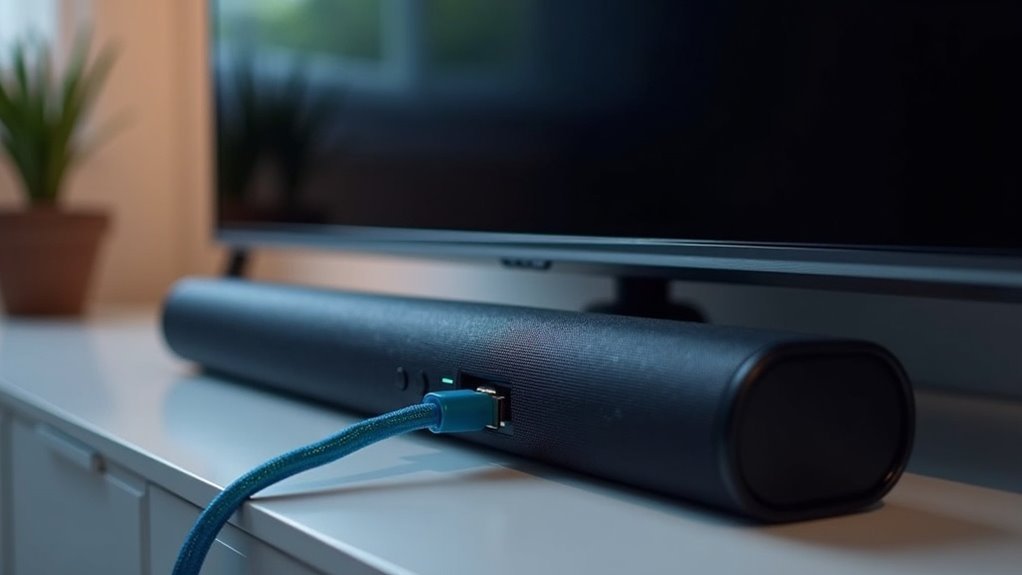
Soundbars utilize HDMI connections, primarily through HDMI ARC and eARC, to significantly enhance audio quality. By connecting your soundbar to your TV’s HDMI ARC port using a high-speed cable, you can experience superior sound while minimizing cable clutter. This setup allows for seamless control via HDMI-CEC, enabling you to operate multiple devices using a single remote. Additionally, HDMI passthrough facilitates connections to various devices, providing a comprehensive entertainment experience. Explore further to learn more about optimizing your sound system with soundbars.
Key Takeaways
- Soundbars utilize HDMI ARC to transmit audio from the TV to the soundbar with a single cable, minimizing clutter in your entertainment setup.
- HDMI passthrough functionality allows soundbars to connect to multiple devices while effortlessly sending video to the TV.
- HDMI-CEC technology enables users to control both the soundbar and TV with a single remote, enhancing the overall user experience.
- High-speed HDMI cables are crucial for delivering high-definition audio formats, which significantly improve sound quality.
- eARC is designed to support lossless audio formats, guaranteeing exceptional sound quality and compatibility with advanced audio technologies such as Dolby Atmos.
Understanding HDMI Functionality in Soundbars
When it comes to soundbars, understanding HDMI functionality is crucial for enhancing your audio experience. HDMI ARC (Audio Return Channel) streamlines the connection by allowing audio to travel back from your TV through a single HDMI cable, minimizing clutter.
Many soundbars also feature HDMI passthrough, which lets you connect multiple devices directly while sending video to the TV. Furthermore, HDMI-CEC (Consumer Electronics Control) enables you to manage all connected devices with a single remote, making it more convenient to use.
To take full advantage of these features, it’s important to always use a high-speed HDMI cable, especially if you’re looking to enjoy high-definition audio formats such as Dolby Atmos in eARC setups.
Connecting Your Soundbar and TV
Connecting your soundbar to your TV is a straightforward process that significantly enhances your audio experience. To begin, locate the HDMI port on your TV, which is usually labeled “ARC” or “eARC.” This connection facilitates optimal audio transmission. Employ a high-speed HDMI cable to connect the soundbar’s HDMI output to the TV’s HDMI ARC port. If your TV does not support this feature, you can connect other devices through the soundbar and route the audio back to the TV. Here’s a quick reference table to help you understand the connection options:
| Connection Type | Requirements | Benefits |
|---|---|---|
| HDMI ARC | Supports ARC/eARC | Simplifies setup, reduces cables |
| HDMI Input | HDMI cable | Versatile device connection |
| Optical Input | Optical cable | Alternative audio method |
Utilizing HDMI ARC/eARC for Enhanced Audio
Utilizing HDMI ARC or eARC with your soundbar greatly enhances your audio experience by streamlining the connection between your TV and the soundbar.
With HDMI ARC, audio transmits using a single cable, reducing clutter and simplifying setup, which is perfect for an organized entertainment space.
HDMI ARC streamlines your audio setup, using one cable to minimize clutter and enhance your entertainment space.
If you’re looking for superior sound, HDMI eARC supports higher bandwidth for lossless audio formats like Dolby Atmos, ensuring you enjoy high-definition sound quality that truly complements your soundbar’s capabilities.
To take advantage of these features, both your TV and soundbar must have compatible HDMI ports labeled “ARC” or “eARC.”
Enabling CEC allows you to control both devices seamlessly with one remote, making your audio experience even more integrated and user-friendly with your soundbar setup.
Using HDMI Passthrough for Multiple Devices
Using HDMI passthrough simplifies soundbar connectivity by allowing you to connect multiple sources like Blu-ray players and gaming consoles directly to your soundbar.
With just one HDMI cable running to your TV, you maintain high audio quality while eliminating cable clutter.
This setup not only streamlines your connections but also enhances your audio experience by enabling the soundbar to process and improve sound from all connected devices.
Device Connectivity Simplified
A soundbar equipped with HDMI passthrough can greatly simplify your home entertainment setup by allowing you to connect multiple devices directly to it.
To utilize HDMI passthrough, ensure your soundbar has at least one HDMI input and one HDMI output. Connect the HDMI output from your devices, such as gaming consoles or Blu-ray players, to the soundbar’s input, and then link the soundbar’s output to your TV.
This setup streamlines device connectivity, enabling seamless audio and video transfer without the hassle of switching inputs. It’s especially beneficial for devices supporting Dolby technologies, enhancing your overall viewing experience with rich sound quality.
Enjoy the convenience and superior audio performance that a soundbar with HDMI passthrough offers!
Audio Quality Enhancement
HDMI passthrough not only simplifies connectivity for your soundbar but also significantly enhances audio quality for your entertainment system.
When your soundbar supports HDMI passthrough, it can connect multiple devices, such as streaming devices and gaming consoles, directly to it. This setup allows for the decoding of high-quality audio formats like Dolby Atmos before sending the signal to your TV.
You’ll enjoy a richer sound experience without the clutter of multiple cables, as a single HDMI cable runs from the soundbar to the TV. Even TVs lacking HDMI-ARC or eARC can achieve superior audio quality through this efficient method, maximizing your listening pleasure with your soundbar.
Troubleshooting Common HDMI Connection Issues
When encountering issues with your soundbar’s HDMI connection, it’s essential to verify that both your soundbar and TV are set to the correct inputs. Ensure your soundbar is on the appropriate HDMI input for audio and that your TV is switched to the correct HDMI ARC input. If you’re experiencing no video output, check the configurations for HDMI-ARC functionality. Sometimes, you may need to manually switch inputs to ensure proper connectivity. Additionally, inspect your HDMI cables for faults, as poor connections can disrupt the audio signal.
| Issue | Solution |
|---|---|
| No Sound | Check soundbar HDMI input |
| No Video | Confirm TV HDMI ARC input |
| Input Not Recognized | Manually switch HDMI inputs |
| Faulty Cables | Inspect and replace HDMI cables |
Exploring Dolby Entertainment Options
To enhance your audio experience with soundbars, consider exploring streaming services that offer Dolby Atmos and Dolby Vision content, clearly marked with their respective badges.
Keep in mind that some platforms may require an upgraded subscription to access these advanced features.
Additionally, cable providers like Comcast and Sky also feature programming with Dolby content, allowing you to fully utilize your soundbar for immersive entertainment.
Streaming Services With Dolby
How can you enhance your home entertainment experience with Dolby technologies through soundbars?
By selecting soundbars that support Dolby Atmos and Dolby Vision, you can elevate your audio and visual experience while streaming content from platforms like Apple TV+, Netflix, and Amazon Prime Video.
These advanced formats create an immersive atmosphere that brings your favorite movies and shows to life.
To make the most of Dolby content, consider soundbars that feature these technologies and look for titles with Dolby Atmos badges to ensure optimal quality.
Additionally, many cable services, such as Comcast and Sky, offer Dolby audio programming, allowing you to enjoy rich sound experiences without relying solely on streaming services.
Content Availability and Requirements
Exploring Dolby content options reveals a variety of programming available across numerous platforms, each with specific requirements for excellent playback through your soundbar.
Services like Apple TV+, Netflix, and Amazon Prime Video offer content marked with Dolby Vision and Dolby Atmos, significantly enhancing your audio and visual experience. To access high-definition audio and video features, you may need to upgrade your subscriptions.
Additionally, cable providers such as Comcast and Sky also deliver Dolby-enhanced programming. To fully enjoy this content through your soundbar, ensure that your devices support HDMI output and utilize ARC or eARC connections.
This setup allows for seamless transmission of Dolby audio, providing superior sound quality for your home entertainment.







