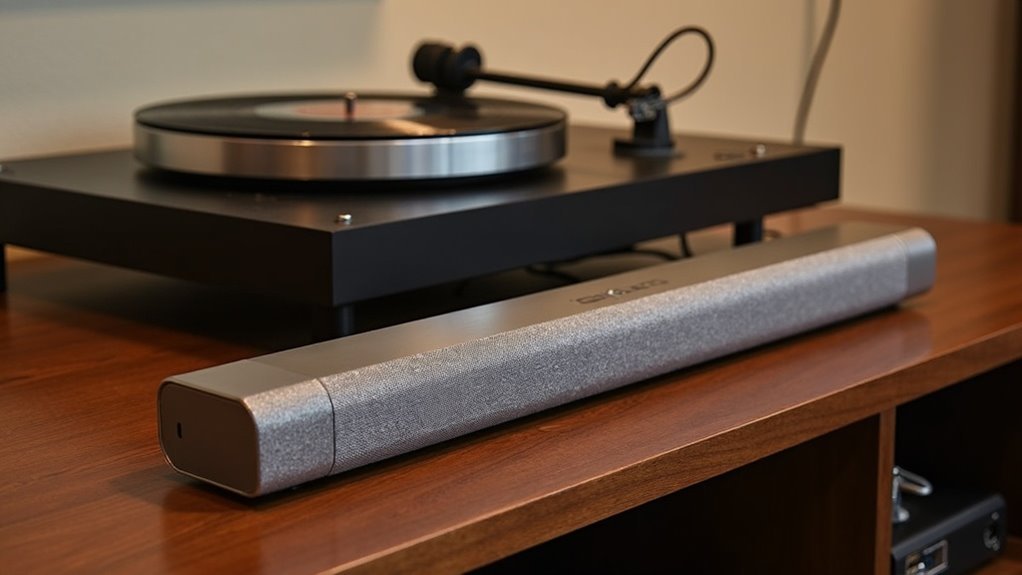
You can connect a soundbar to a record player in several ways. If your turntable has RCA outputs, use high-quality RCA cables for a direct connection to the soundbar. For Bluetooth-enabled models, pair your devices within 30 feet for wireless playback. If your turntable features a built-in preamp, you can connect it directly to the soundbar, or for enhanced audio quality, you may opt for an external RIAA preamp. In cases where RCA inputs are absent on the soundbar, consider using HDMI or optical connections with the appropriate converters. Be sure to check troubleshooting tips and compatible soundbars for optimal performance!
Key Takeaways
- Soundbars can connect to record players using RCA cables for direct analog audio transmission, ensuring high sound quality.
- Bluetooth-enabled record players can wirelessly stream audio to soundbars, though this may compromise sound fidelity.
- Some soundbars support optical or HDMI connections, which may require an external DAC or converter for compatibility.
- A separate RIAA preamp can enhance sound quality and compatibility when connecting turntables to soundbars.
- To achieve optimal playback, ensure both devices are powered on and select the correct input on the soundbar.
Different Ways to Connect the Soundbar to the Vinyl Record Player
When connecting a soundbar to a vinyl record player, there are several effective methods to consider.
If your soundbar features RCA inputs, you can easily connect your turntable using RCA cables, allowing for a straightforward analog audio signal transmission.
Connecting your turntable to a soundbar with RCA inputs is simple with RCA cables for clear analog audio.
In cases where RCA inputs aren’t available, a Bluetooth-enabled record player can stream audio wirelessly to the soundbar; however, this may result in a loss of sound quality due to the necessary audio conversion.
For soundbars equipped with optical or HDMI connections, utilizing an external DAC or converter may be required for compatibility.
Additionally, using a separate RIAA preamp can significantly enhance sound quality and compatibility for turntables that lack the appropriate inputs.
Connecting the Bluetooth Record Player to the Soundbar
Connecting your Bluetooth record player to the soundbar is a straightforward process that requires both devices to be powered on and in pairing mode.
While Bluetooth provides convenience for audio playback through your soundbar, it’s important to note that the sound quality may be affected slightly due to the analog-to-digital conversion.
Additionally, consider factors such as Bluetooth version and range limitations to ensure a stable connection for uninterrupted playback through your soundbar.
Bluetooth Pairing Process
How do you connect your Bluetooth record player to a soundbar? Follow these steps:
- Ensure both the record player and soundbar are powered on.
- Put the record player and soundbar into pairing mode.
- Access the soundbar’s Bluetooth settings to initiate a search for devices.
- Select your Bluetooth record player from the list of available devices.
- Enjoy wireless playback of your vinyl records through your soundbar.
This pairing process is typically straightforward, allowing for an easy connection to your soundbar.
However, keep in mind that while Bluetooth offers convenience, it may impact sound quality due to analog-to-digital conversion and potential interference.
Position your devices thoughtfully within the effective 30-foot range for optimal performance.
Sound Quality Considerations
While using a Bluetooth record player to stream music through a soundbar offers convenience, it often compromises sound quality. The analog-to-digital conversion inherent in Bluetooth connections can diminish audio fidelity. Additionally, older Bluetooth versions may introduce latency, impacting your listening experience. Here’s a quick comparison relevant to soundbars:
| Factor | Impact on Sound Quality |
|---|---|
| Bluetooth Version | Older versions lower fidelity |
| Interference | Causes playback interruptions |
| Range | Limits placement options for soundbars |
| Conversion Process | Reduces audio clarity |
| Wired Connections | Preferred for ideal sound quality |
For serious audiophiles and soundbar enthusiasts, these factors make wired connections a more reliable choice for achieving superior sound quality.
Connection Stability Factors
Achieving a stable connection between your soundbar and Bluetooth devices is essential for an uninterrupted listening experience. Here are some key connection stability factors to evaluate:
- Ensure your soundbar is powered on and within a 30-foot range of the Bluetooth device.
- Access the soundbar’s Bluetooth settings to pair with your desired device.
- Minimize interference from other wireless devices or physical obstacles that may disrupt the connection.
- Check for firmware updates on the soundbar to enhance connectivity and performance.
- Be aware that sound quality may be affected by the analog-to-digital conversion inherent in Bluetooth connections.
Connecting the Turntable With a Built-In Preamp to the Soundbar
Connecting a turntable with a built-in preamp to your soundbar is a straightforward process that primarily requires RCA cables and compatible inputs.
First, ensure that both your soundbar and turntable are powered on.
Select the appropriate input on your soundbar for optimal audio playback.
Using high-quality RCA cables can significantly enhance sound clarity and prevent signal degradation, ensuring you get the best audio experience from your turntable through your soundbar.
Connection Method Overview
A turntable with a built-in preamp can enhance your soundbar setup by simplifying the connection process through RCA cables.
To ensure optimal audio performance, follow these steps:
- Use high-quality RCA cables for a direct connection to the soundbar.
- Power on both the turntable and the soundbar.
- Select the appropriate input on the soundbar for the turntable connection.
- Choose a wired connection to minimize any potential interference.
- Adjust the volume levels on both the turntable and soundbar to achieve your preferred listening experience.
Required Equipment List
To successfully connect a turntable with a built-in preamp to your soundbar, it’s essential to have the right equipment for optimal audio performance.
First, acquire a set of standard RCA cables to link the turntable’s audio output to the soundbar’s RCA input. Ensure your soundbar is powered on and set to the correct input source to detect the turntable’s audio.
However, it’s important to verify that your soundbar supports RCA connections, as many contemporary models may lack this feature. Always refer to the soundbar’s manual for specific instructions regarding RCA inputs to enhance your audio experience.
This streamlined setup allows for easy connections while ensuring high-quality playback.
Sound Quality Considerations
When connecting a turntable with a built-in preamp to your soundbar, it’s essential to prioritize sound quality for optimal performance.
Here are some key considerations:
- Use standard RCA cables for a direct audio signal transfer to your soundbar.
- The built-in preamp enhances compatibility by boosting the phono signal to line-level.
- A wired connection is preferable to minimize any potential signal degradation.
- RCA cables help reduce interference from other electronics, ensuring clearer audio output through your soundbar.
- Adjust the volume levels on both the turntable and soundbar carefully to avoid distortion and achieve the best sound experience.
Connecting the Vinyl Player With a Separate Preamp to the Soundbar
Connecting a vinyl player with a separate preamp to your soundbar can significantly enhance your audio experience.
To start, use RCA cables to connect the audio output of the turntable to the input of the preamp. Then, connect the output of the preamp to the RCA input on your soundbar.
Connect your turntable to the preamp with RCA cables, then link the preamp to your soundbar for enhanced audio.
Ensure that both the turntable and preamp are powered on, and set your soundbar to the appropriate input to receive audio.
Utilizing high-quality, well-shielded RCA cables can help minimize signal degradation, ensuring optimal sound performance during playback through your soundbar.
How to Connect the Soundbar Without RCA or AUX Input
If your soundbar doesn’t have RCA or AUX inputs, there are still effective ways to connect it to your audio sources. Here are some options:
- Use an optical connection for high-quality audio transmission.
- Opt for HDMI connections if available; they offer uncompressed audio.
- Consider an external DAC to convert the analog signal from your audio source to digital.
- Look for devices with Bluetooth connectivity for a wireless option.
- Verify proper configuration of your soundbar and source device for ideal playback.
These methods can help you enjoy your audio content through your soundbar without traditional inputs.
Benefits of Using a Soundbar With a Turntable
Integrating a soundbar with your turntable offers numerous advantages that enhance your audio experience.
Soundbars simplify your setup by combining multiple functions into one device, reducing clutter. They deliver superior sound quality for your vinyl player, providing clearer, immersive audio than typical TV speakers.
Soundbars streamline your audio setup, offering enhanced sound quality for vinyl players while reducing clutter and complexity.
Many soundbars support Bluetooth, allowing you to wirelessly stream from Bluetooth-enabled turntables, eliminating messy cables. Additionally, models with built-in amplification can power passive speakers, improving audio performance and reducing distortion.
Their compact design makes soundbars a space-saving alternative to traditional stereo systems, perfect for smaller living areas while maintaining high-quality sound.
Troubleshooting Common Connection Issues
When troubleshooting connection issues between your turntable and soundbar, effective problem-solving can save you time and frustration.
Here are some common areas to check:
- Ensure your turntable has a built-in preamp or consider using an external one for optimal audio output.
- Verify that your soundbar supports the connection type you’re using (RCA, AUX, or optical).
- If you’re connecting via HDMI, make sure you have the correct HDMI switcher for compatibility.
- To prevent dropouts, move your Bluetooth turntable closer to the soundbar.
- If you’re using an optical connection, consider whether an external DAC is necessary for better audio quality.
Recommended Soundbars for Vinyl Playback
Soundbars designed for vinyl playback can greatly enhance your listening experience, offering both convenience and quality.
The Sonos Amp is a top choice, featuring RCA line-in options that connect easily to record players with built-in preamps. For those using an RIAA preamp, the Bose Music Amplifier provides an analog input for seamless connectivity.
The Sonos Amp and Bose Music Amplifier provide seamless connectivity for vinyl enthusiasts, ensuring optimal sound quality.
If you prefer wireless, the Yamaha YAS-209 supports Bluetooth-enabled turntables, ensuring flexibility. Additionally, some soundbars offer optical audio input, useful for setups with digital outputs.
Don’t forget to use the appropriate cable for peak performance, or consider Edifier S2000Pro speakers for superior sound quality.







