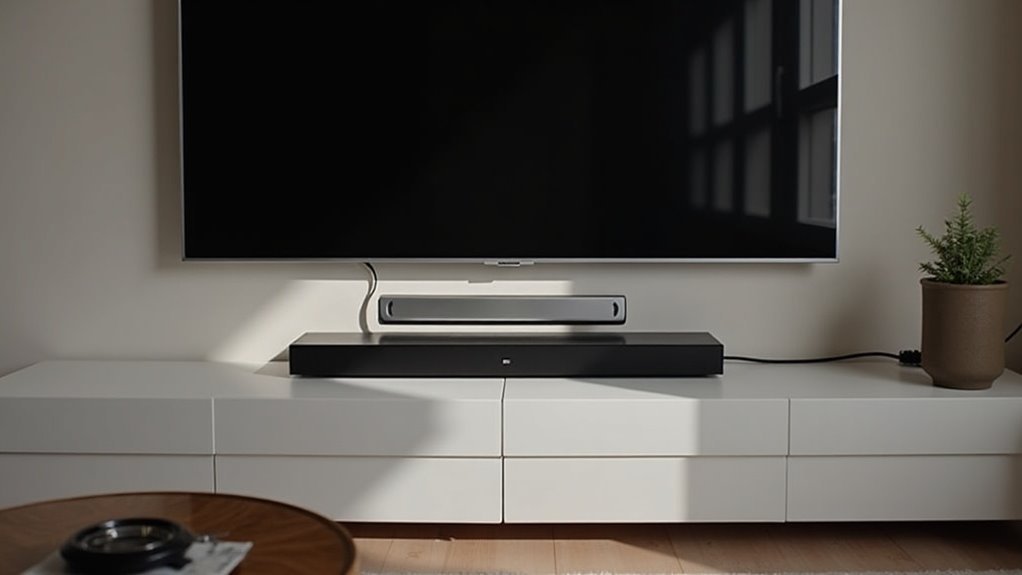
Connecting two soundbars to one TV can be tricky, as most modern TVs only detect a single audio source at a time. To set this up, use an optical splitter for the first soundbar and connect the second via HDMI. Be mindful of potential audio issues like cancellation and syncing problems. Proper placement of the soundbars is essential to enhance sound quality. For further tips and methods to improve your audio experience with soundbars, continue exploring additional setup practices and alternatives.
Key Takeaways
- Most TVs can only recognize one audio device at a time, which can complicate setups involving dual soundbars.
- To improve compatibility, use an optical splitter for the first soundbar and HDMI for the second.
- For optimal audio quality, position the soundbars at ear level and away from corners to minimize distortion.
- Be mindful of potential audio cancellation and synchronization issues when connecting two soundbars.
- Consider alternatives to dual soundbars that could deliver a richer sound experience without the complexities of multiple connections.
Understanding the Limitations of TV Audio Outputs
When you’re looking to enhance your audio experience with soundbars, it’s crucial to understand the limitations of your TV’s audio outputs.
Most modern TVs can only detect and connect to one external audio device at a time, meaning that if you attempt to connect two soundbars, one may remain inactive.
Using dual soundbars can lead to audio cancellation or interference, as the TV may struggle to manage multiple signals simultaneously.
Additionally, many TVs lack the necessary hardware and software support for simultaneous audio output, which can result in suboptimal sound quality.
To get the most out of your soundbars, always consult your TV’s user manual to understand its specific audio output capabilities and limitations.
Exploring Connection Options for Dual Soundbars
When connecting dual soundbars to your TV, there are several methods available, including optical splitters and HDMI connections.
However, these setups can sometimes lead to audio synchronization issues and may affect the overall sound quality.
To achieve optimal performance, it’s important to follow best practices and refer to your TV’s user manual for compatibility information.
Connection Methods Overview
To successfully connect two soundbars to one TV, you need to explore various connection methods that can accommodate both devices.
One effective approach is using an optical splitter for the first soundbar while connecting the second via HDMI, which enhances sound quality. However, keep in mind that TVs often auto-detect only one external speaker, complicating simultaneous connections.
While Y-cables or speaker wires may enable dual subwoofer setups, they can lead to compatibility issues. Additionally, the second soundbar might only provide stereo sound, resulting in an imbalanced home theater experience.
Community feedback generally advises caution with this dual soundbar configuration to ensure optimal performance and a satisfying audio experience.
Potential Audio Challenges
Connecting two soundbars to one TV can present several audio challenges that may affect your overall listening experience. Here are some potential issues you might encounter:
- Audio Cancellation: Overlapping signals from the two soundbars can lead to distortion and cancellation effects, compromising sound quality.
- Detection Limitations: Many TVs typically recognize only one audio source at a time, which can complicate the connection of multiple soundbars.
- Volume Control and Synchronization Issues: When using HDMI ARC connections, managing volume and ensuring that audio is in sync between the soundbars can become tricky.
Additionally, if you add a wireless subwoofer to your setup, the surround sound effects may become less distinct, resulting in muddled audio clarity.
These challenges can detract from your listening experience compared to using a single, well-placed soundbar or a more comprehensive audio system.
Recommended Setup Practices
While many users seek to enhance their audio experience by connecting two soundbars to one TV, it’s vital to explore effective setup practices to avoid audio conflicts.
Start by using an optical splitter for the first soundbar, while connecting the second via HDMI. Be aware that most TVs detect only one external sound source, which can lead to signal issues.
To improve sound quality, position subwoofers strategically, but avoid pairing two wireless subwoofers due to integration challenges.
Always consult product manuals and community insights to ensure compatibility and functionality when connecting multiple soundbars for peak performance.
Using HDMI and Optical Splitters Effectively
To connect two soundbars effectively, you can use HDMI and optical splitters, each offering distinct advantages.
An HDMI splitter maintains higher audio quality, making it ideal for soundbars that prioritize clarity and immersion.
On the other hand, an optical splitter can introduce potential delays and syncing issues, which may affect your listening experience.
To ensure optimal performance when using either method, it’s important to confirm compatibility between your soundbars and TV. This will help you achieve the best sound quality for your home audio setup.
Connection Methods Overview
When you want to enhance your audio experience by connecting two soundbars to a single TV, utilizing both HDMI and optical splitters proves to be an effective strategy.
Here’s how to do it:
- Connect the primary soundbar using the optical output for clear sound.
- Use HDMI ARC for the secondary soundbar, optimizing sound management.
- Check your TV’s specifications to verify it supports dual outputs.
Be cautious, as using both soundbars simultaneously may cause audio sync issues due to different signal types.
Proper positioning of soundbars and their subwoofers can also significantly enhance your overall audio experience.
Sound Quality Implications
Connecting two soundbars to a single TV can significantly enhance your audio experience, but it comes with sound quality implications that require careful attention.
Utilizing an optical splitter can enable simultaneous audio output; however, be cautious of potential latency and synchronization issues that may arise.
HDMI ARC can streamline control, but it necessitates compatibility between the soundbars.
While using dual soundbars can increase volume, proper placement and acoustic treatment are crucial to ensure balanced sound.
It’s important to verify that both soundbars support the same audio formats to avoid dropouts.
To achieve optimal bass response, position subwoofers thoughtfully to reduce phase cancellation.
Always keep these sound quality considerations in mind for the best performance.
Potential Audio Issues With Dual Soundbars
While the idea of enhancing your audio experience with dual soundbars might sound appealing, it often leads to several potential audio issues.
You may encounter:
- Audio cancellation, causing distortions or dropouts due to overlapping frequencies.
- Confusing surround sound configurations, resulting in unclear audio effects or missing channels.
- Latency issues, where sound from both soundbars becomes unsynchronized, creating echoes.
Additionally, one soundbar may override the other, as TVs typically auto-detect a single audio output.
The complexity of setup can also degrade sound quality, resulting in a less satisfying listening experience.
Be mindful of these challenges when considering the use of dual soundbars for your audio setup.
Enhancing Sound Quality With Proper Placement
To enhance sound quality with proper placement of soundbars, consider the positioning carefully.
Position soundbars at ear level and equidistant from walls to reduce distortion. Avoid placing them in corners, as this can lead to excessive bass buildup; instead, experiment with different placements to achieve a balanced sound.
If you’re using dual soundbars, ensure they’re aligned correctly to maintain consistent audio levels across the left and right channels.
Proper placement is crucial for maximizing the performance of your soundbars and enhancing your overall audio experience.
Alternative Solutions for Improved Audio Experience
If you’re looking for alternative soundbar solutions to enhance your audio experience, consider options that streamline your setup without sacrificing sound quality.
Here are a few effective strategies:
- Use a soundbar with built-in subwoofer capabilities for powerful sound without the clutter of multiple connections.
- Explore soundbars that offer advanced dialogue enhancement features for improved clarity and detail in your favorite shows and movies.
- Consider wireless surround sound options compatible with soundbars for a seamless audio experience that elevates your home theater setup.
These alternatives can provide superior audio performance compared to connecting two soundbars, ensuring you enjoy a richer sound experience tailored to your preferences.







