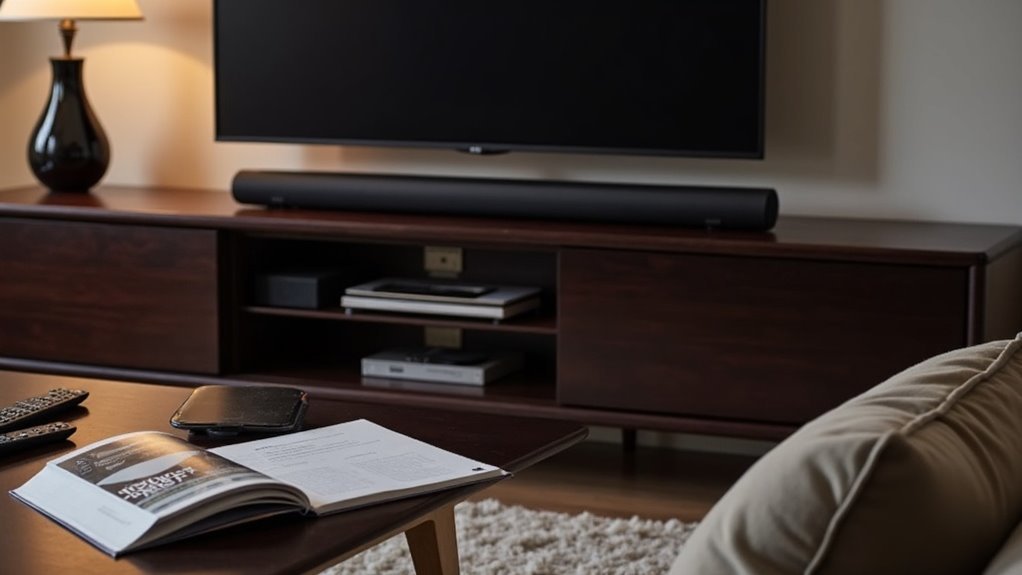
To set up your soundbar, position it centrally below your TV and connect it using an HDMI cable with ARC or a digital optical cable for optimal audio quality. Place your subwoofer within the front half of the viewing area while avoiding corners for better sound distribution. Regularly check for firmware updates and customize audio settings to suit your preferences. If you’re looking for an immersive experience, ensure your devices support Dolby Atmos. There are additional steps to fine-tune and enhance your setup for the best sound performance.
Key Takeaways
- Position the soundbar centrally below the TV for optimal sound direction towards the listener.
- Connect the soundbar to the TV using an HDMI cable with ARC or a digital optical cable for the best audio quality.
- Ensure the soundbar is compatible with Dolby Atmos to enjoy an immersive audio experience.
- Regularly check for firmware updates and adjust audio settings to suit your personal preferences for an enhanced listening experience.
- Assess the room acoustics and test the soundbar’s performance in different locations to achieve the best sound quality possible.
Soundbar Placement
When you set up your soundbar, positioning it correctly is essential for optimal audio performance.
Place your soundbar just below the TV to direct sound towards you without obstructing the screen. If you choose to use a cabinet, position it as far forward as possible to avoid interference from decorative items.
Wall-mounting can further enhance sound direction and audio quality. For setups with surround speakers, position them 10 to 20 degrees behind your listening position and ensure they’re away from walls for better sound distribution.
This strategic soundbar placement significantly optimizes your audio experience.
Basic Soundbar Connections
Connecting your soundbar to your TV is essential for achieving high-quality audio.
The most effective method is using an HDMI cable with ARC (Audio Return Channel), allowing seamless audio and video transmission. If HDMI isn’t available, opt for a digital optical cable, which delivers excellent audio quality with minimal signal loss.
Make sure to select the correct input on both the soundbar and the TV. For older setups lacking HDMI or optical ports, an analog stereo connection works, but audio quality may suffer.
Remember to adjust your TV’s audio output settings to ensure your soundbar is the selected device for peak performance.
Advanced Soundbar Connections
While you may have set up basic connections for your soundbar, advanced options can greatly enhance your audio experience.
For ideal sound quality, use a digital optical connection from your TV to the soundbar; it offers superior audio transfer. Consider HDMI-ARC for a streamlined setup, allowing audio return through a single cable, minimizing clutter.
If digital optical isn’t available, a digital coaxial connection from your Blu-ray or DVD player guarantees high-quality output. Many soundbars also feature a 3.5mm input jack for portable music players.
Finally, Ethernet ports enhance streaming capabilities, making your soundbar more versatile, especially when pairing with a subwoofer.
Subwoofer Setup Tips
When setting up your soundbar system, position your subwoofer in the front half of your viewing area, close to the soundbar for optimal bass response.
Experiment with various placements and take into account room acoustics to achieve the best sound quality, steering clear of corners that can lead to frequency issues.
Additionally, ensure it’s near an AC outlet to avoid long cable runs that might affect performance.
Optimal Placement Strategies
To achieve the best audio experience with your soundbar, effective subwoofer placement is essential. Here are three ideal placement strategies:
- Position it in the front half of your space, ideally close to the soundbar for balanced audio output.
- Avoid cabinetry; place the subwoofer in an open area to enhance bass response and prevent distortion.
- Experiment with locations—try left, right, or directly beneath the soundbar to adapt to your room’s acoustics.
Be cautious with corner placements, as they can create frequency issues.
Ensure your subwoofer is near an AC outlet for convenient setup and adjustments.
Volume Balance Considerations
Achieving the right volume balance between your soundbar and subwoofer is essential for a seamless audio experience.
Start by positioning your subwoofer near an AC outlet and close to the soundbar for ideal bass response. Adjust the subwoofer’s volume independently using the remote control, ensuring it complements the soundbar without overpowering other audio elements.
Experiment with placement, as proximity to walls can cause distortion. Regularly test audio quality with diverse content to fine-tune this balance.
Focusing on these volume balance considerations will lead to superior sound from your soundbar, enhancing your overall listening experience with rich, harmonious audio.
Room Acoustics Assessment
Understanding room acoustics is essential for maximizing your soundbar setup. To ensure your home theater system delivers the best audio experience, consider these tips:
- Position the soundbar in the front half of the room, ideally at ear level, to enhance dialogue clarity and overall sound quality.
- Avoid placing the soundbar inside cabinets to prevent sound distortion; enclosed spaces can muffle high frequencies and diminish audio performance.
- Experiment with various placements—on a shelf, mounted to the wall, or on a TV stand—to find the ideal sound quality.
Balance the soundbar volume with any additional speakers or subwoofers to create a harmonious audio experience, ensuring that no element overpowers the other.
Achieving Dolby Atmos Experience
To achieve a true Dolby Atmos experience with your soundbar, you need to ensure that your soundbar is compatible and designed to support Dolby technologies.
Additionally, make sure your playback device, such as a Blu-ray player or streaming box, is equipped for Dolby Atmos output.
Subscribe to streaming services like Netflix or Disney+ that offer content optimized for immersive audio to fully enjoy the capabilities of your soundbar.
Required Hardware Components
To fully experience the captivating world of Dolby Atmos sound, having the right soundbar is crucial.
Here are three essential components you’ll need:
- Dolby Atmos-enabled Sound Bar: Ensure your soundbar is capable of decoding Dolby Atmos for the ultimate audio experience.
- Compatible Streaming Device: Pair your soundbar with devices like Fire TV 4K or Apple TV 4K to effortlessly access Dolby Atmos content.
- HDMI Audio Cables: Use HDMI cables that support Dolby Atmos to connect your TV and soundbar, ensuring optimal audio quality.
Streaming Service Compatibility
Achieving a true Dolby Atmos experience with your soundbar requires a careful selection of streaming services. Subscriptions to platforms like Netflix, Disney+, or Apple TV are essential, as they offer content mixed with Dolby technologies.
Ensure your soundbar is compatible with Dolby Atmos for ideal playback. Verify that your streaming devices, such as Fire TV 4K or Apple TV 4K, support Dolby Atmos content.
Not all titles feature this enhanced surround sound, so check compatibility before streaming. Finally, connect your streaming devices correctly to your Dolby Atmos-enabled soundbar to ensure the audio is processed and delivered accurately.
Testing Soundbar Functionality
How can you ensure your soundbar is operating at peak performance? Start by thoroughly testing its functionality to accurately assess audio quality. Here are three essential steps:
To ensure peak performance, thoroughly test your soundbar’s functionality and audio quality with various content.
- Look for indicators that confirm Dolby Atmos recognition, such as LED lights on the soundbar.
- Utilize a companion app to monitor audio settings and customize performance to your liking.
- Test sound quality with a variety of content—movies, music, and video games—to get a comprehensive understanding of its capabilities.
After conducting your tests, adjust your audio settings based on your observations to achieve optimal results, ensuring a good balance between dialogue clarity and sound effects.
Always consult the product manual for troubleshooting any issues that may arise during this process.
General Soundbar Usage and Considerations
To maximize your soundbar’s potential, it’s crucial to evaluate its compatibility with your TV and other devices before making a purchase.
Once set up, utilize the remote control for seamless adjustments to volume and audio settings, enhancing your experience.
Regularly check the settings menu for firmware updates to guarantee peak performance and access to new features.
Experiment with various audio settings to tailor the sound to your preferences and room acoustics.







